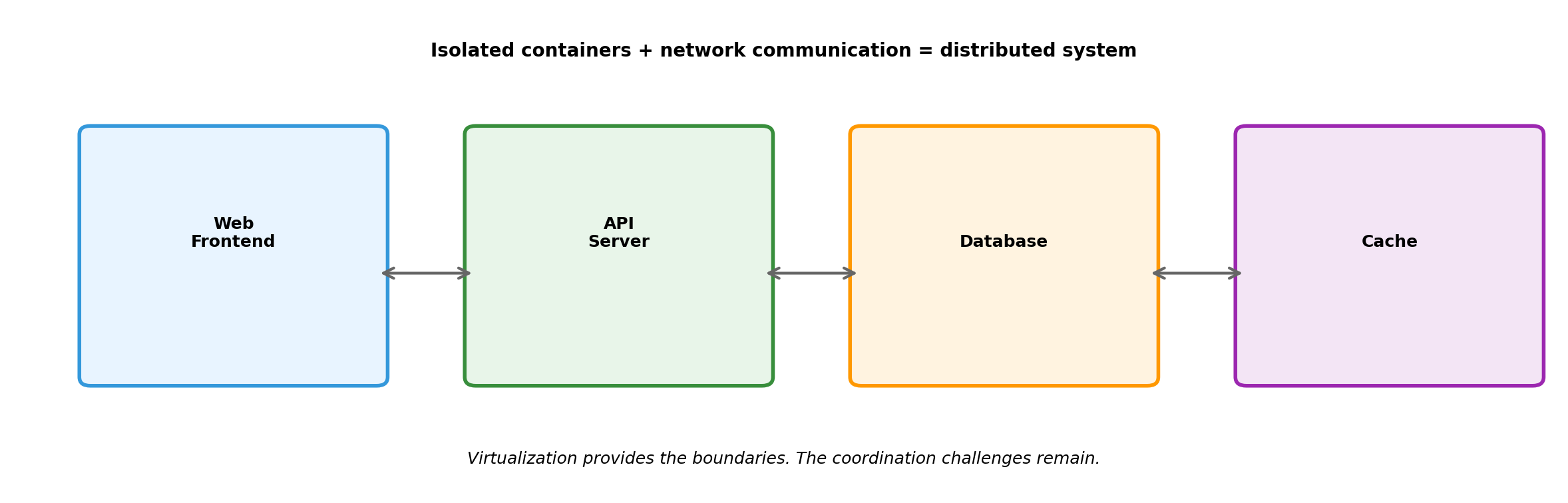
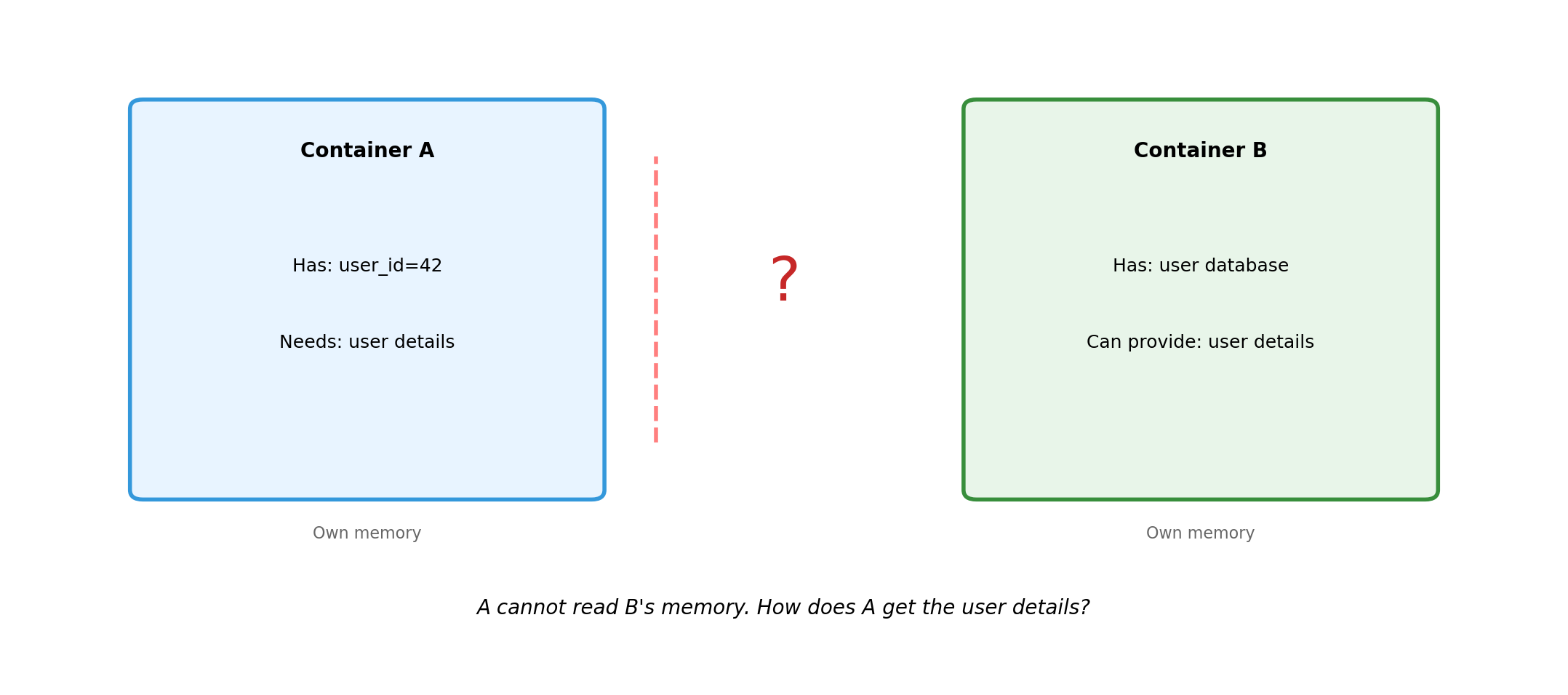
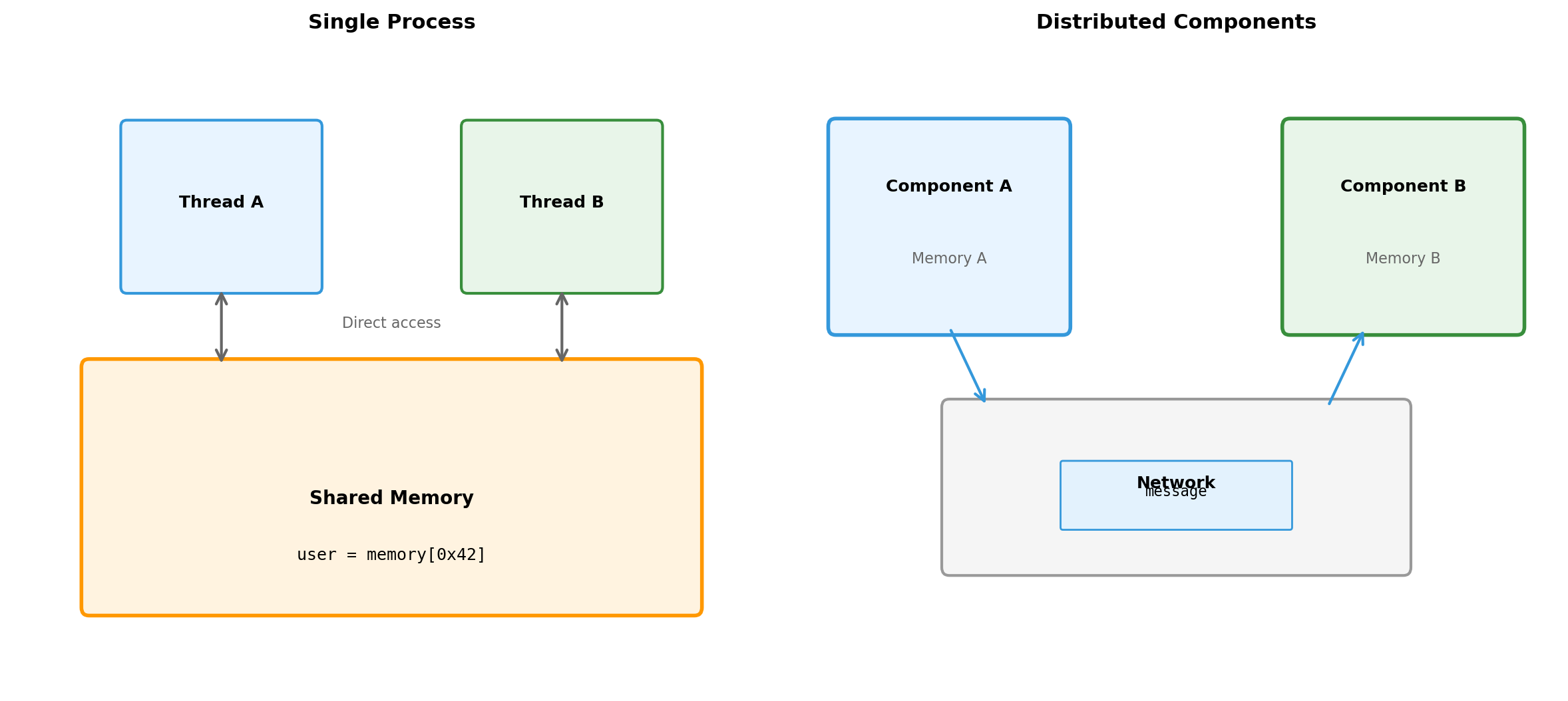
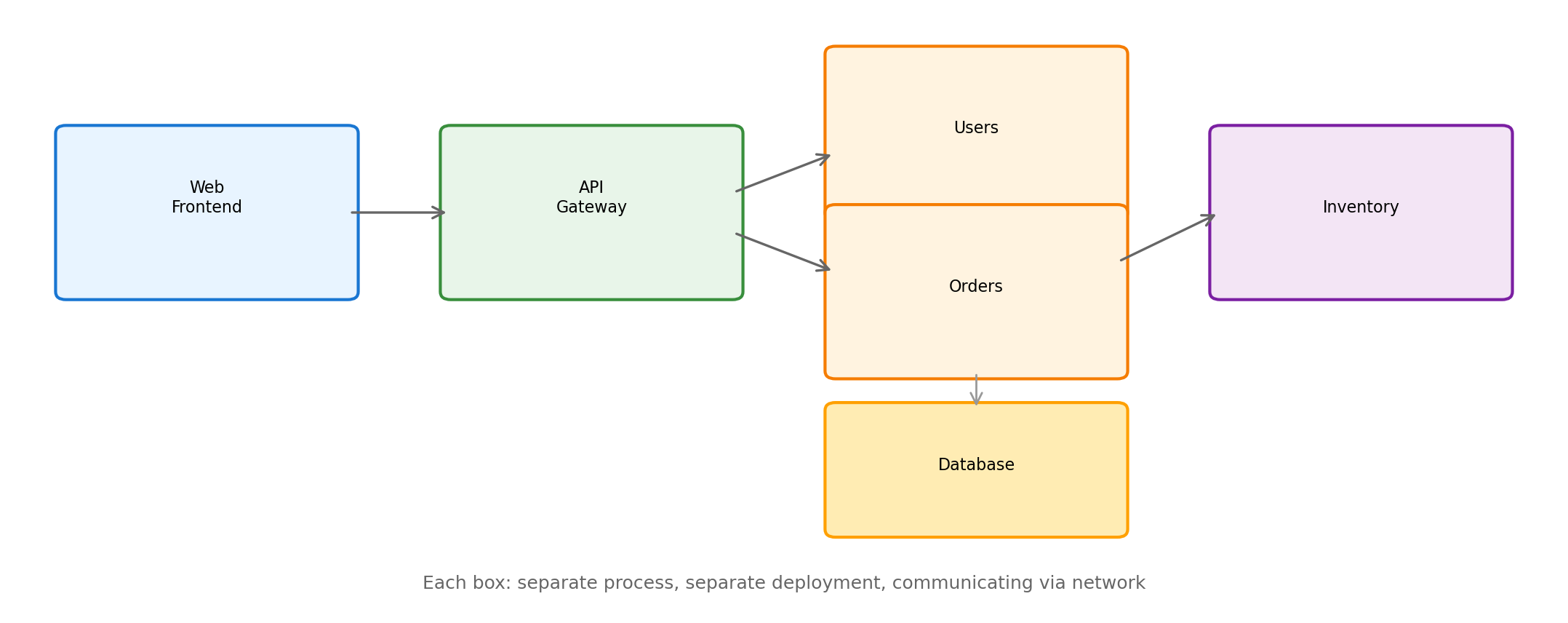
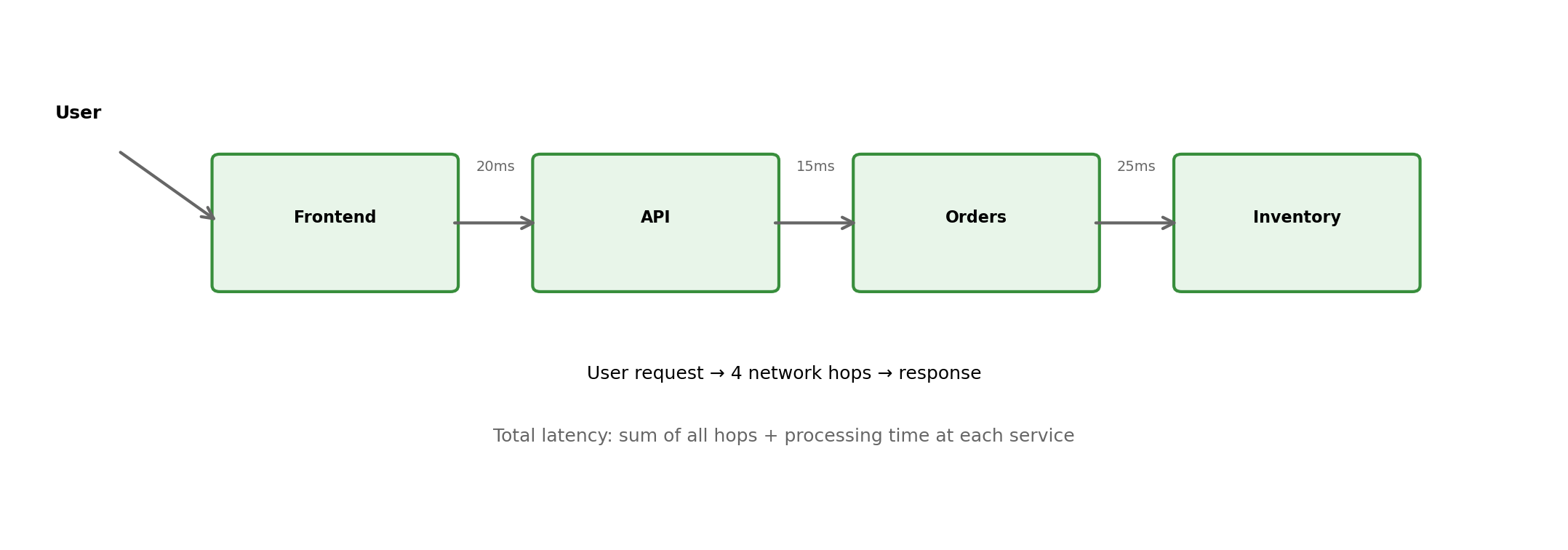
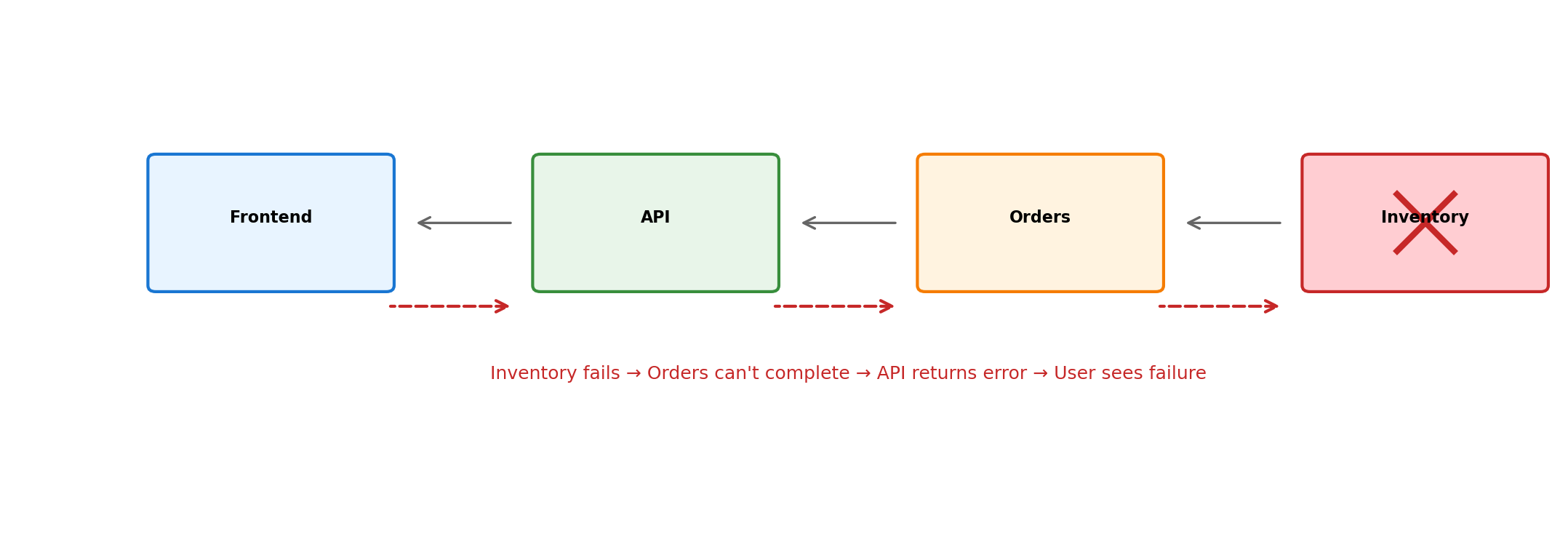
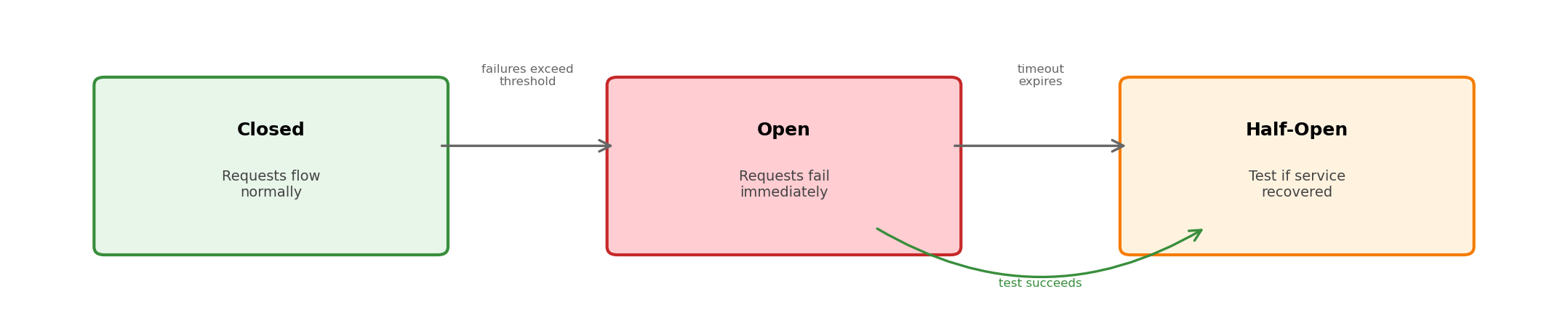
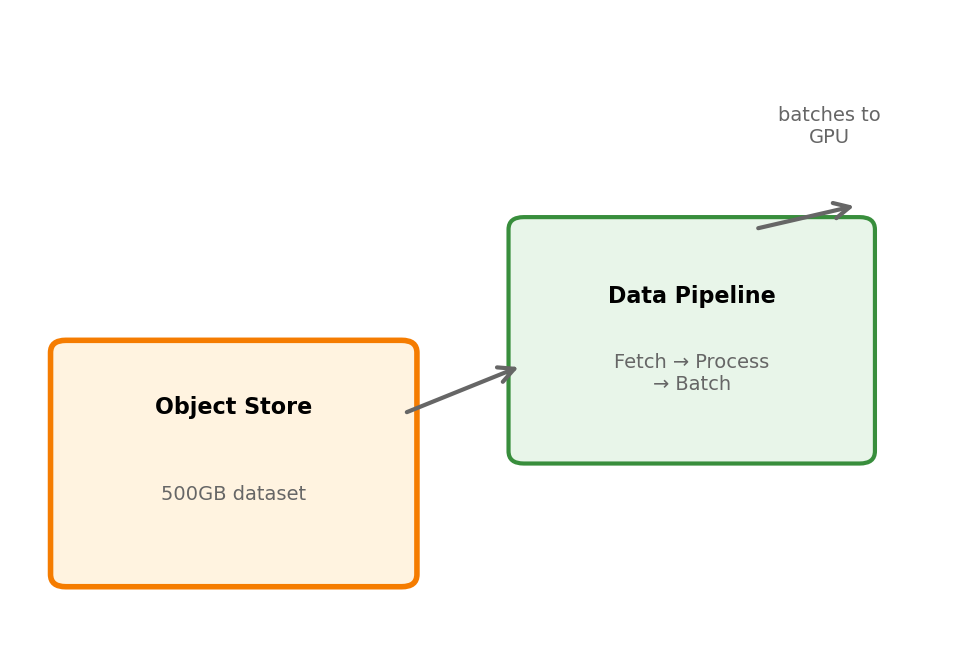
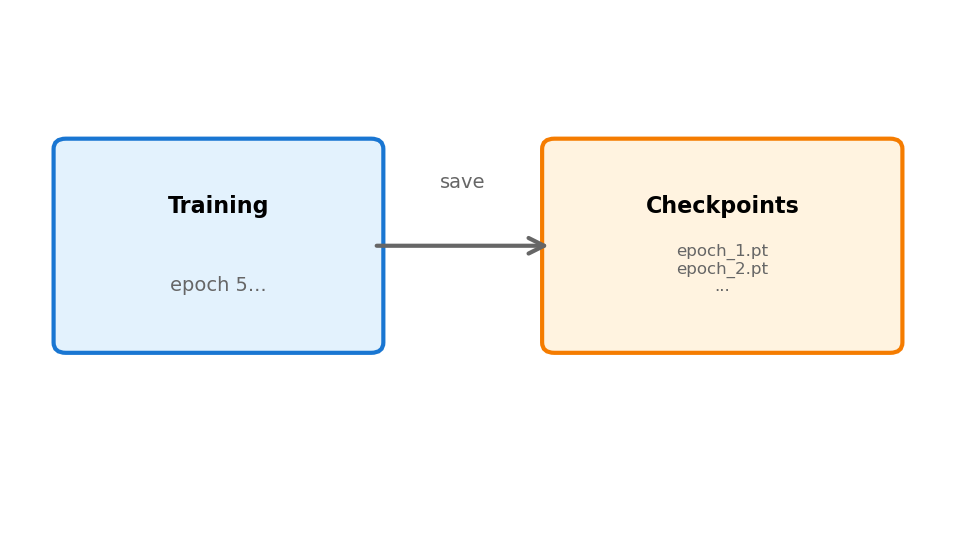
Every interaction between components follows this pattern. Query results, cache lookups, API calls—all require explicit message exchange.
The application server’s code pauses, waiting for bytes to arrive over the network.
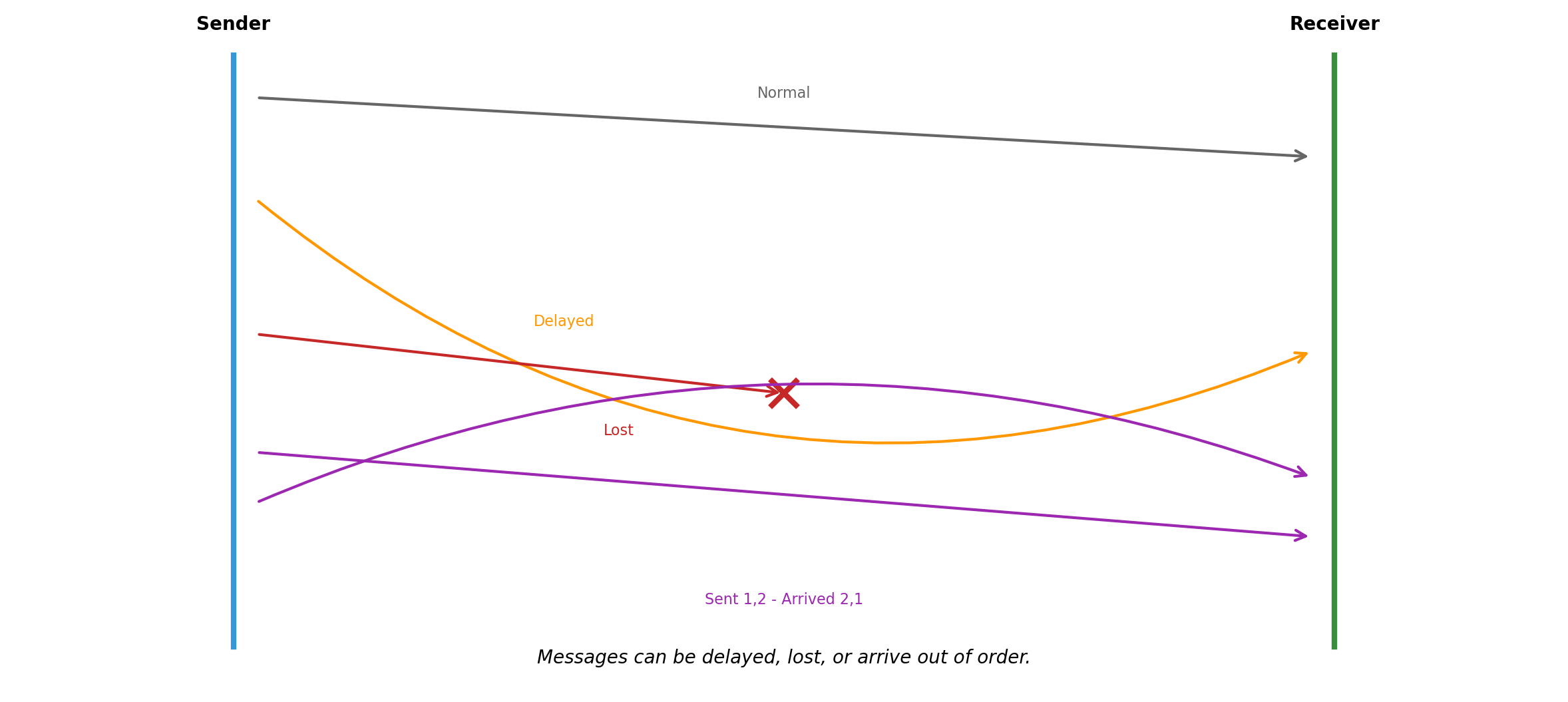
Messages Can Be Lost, Delayed, or Reordered
The network is not a function call. When the app server sends a query:
The request might not arrive. Router failure, network partition, packet corruption.
The request might arrive late. Congestion, retransmission, routing changes.
The response might not arrive. Database processed the query, but the response was lost.
Messages might arrive out of order. Request A sent before B, but B arrives first.
None of these failure modes exist in a single process. A function call either executes or the process crashes. There is no “maybe it executed.”
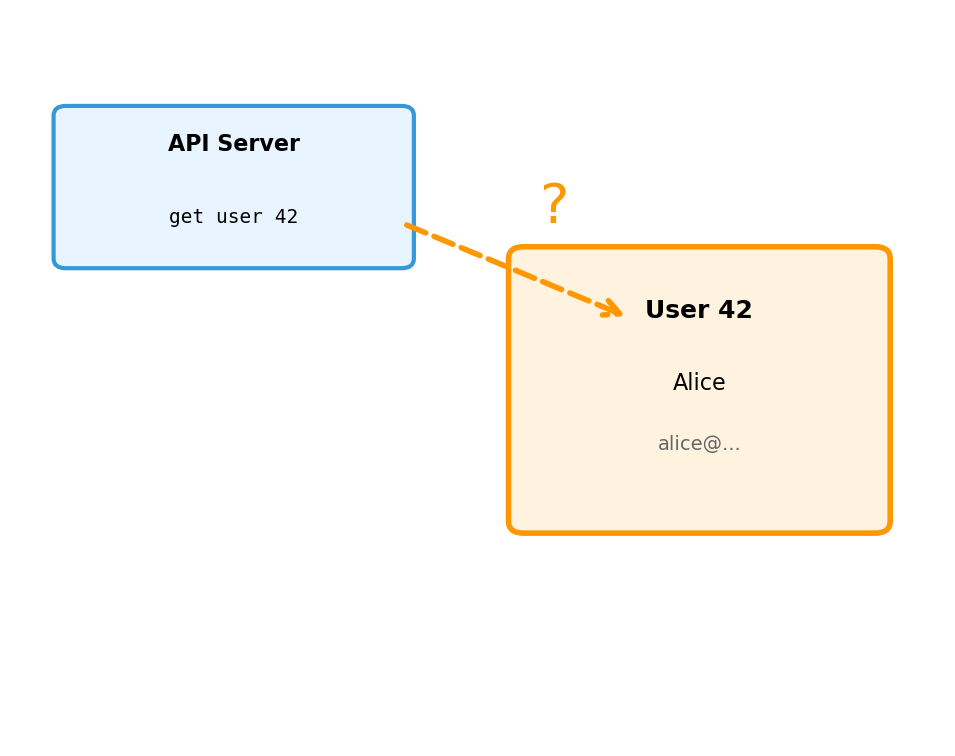
A Request Without Response Creates Uncertainty
A function call has two outcomes: return a value, or throw an exception. A network request has three.
Success
Request sent. Server processed. Response received.
Client knows the operation completed.
result = db.query(sql)# result contains data
Failure
Request sent. Server returned error. Error received.
Client knows it failed.
try: result = db.query(sql)except DatabaseError:# handle known failure
Unknown
Request sent. No response.
Did the server receive it? Process it? Crash before? After?
try: result = db.query(sql)except Timeout:# did it succeed or not?
The unknown case forces difficult decisions. Retry and risk duplicate execution. Don’t retry and risk losing the operation.
Partial Failure: Some Components Work While Others Don’t
A single-machine program either runs or doesn’t. A distributed system occupies states in between.
Some requests succeed. Others fail. Others succeed slowly. The outcome depends on which path a request takes through the system.
Every component must be written assuming the components it depends on might be unavailable—right now, for this request, even if they worked a moment ago.
No Global Clock Orders Events
Machine A’s clock: 10:00:00.000
Machine B’s clock: 10:00:00.003
A sends a message at its 10:00:00.000. B receives it at its 10:00:00.002.
Meanwhile, B had a local event at its 10:00:00.001.
Did A’s send happen before or after B’s event? The timestamps suggest A sent first (10:00:00.000 < 10:00:00.001), but A’s clock might be behind B’s.
Clocks drift. Synchronization protocols get them close—milliseconds—but not identical. For operations that happen within milliseconds of each other, timestamps cannot determine order.
In a single process, “before” means “earlier in the instruction sequence.” Across machines, there is no shared instruction sequence to consult.
These Challenges Seem Fundamental to Distribution
No shared memory. Network uncertainty. Partial failure. No global clock.
These arise because components run on separate machines, communicating over a network.
But consider: are these really about the network? Or about something more fundamental?
A useful test: what if we remove the network?
A Single Process Has Implicit Coordination
total =0for item in items: total += item.priceprint(f"Total: ${total}")
Each statement executes after the previous completes.
The variable total exists in one place. Reading it returns what was last written.
If the loop crashes, the entire process stops. No ambiguity about what state persists.
These properties require no effort from the programmer. The language runtime provides them automatically.
One thread of execution. Shared memory. Single failure domain. Coordination is implicit.
A Thread Is an Independent Execution Context Within a Process
A process can contain multiple threads. Each thread:
Has its own instruction pointer (where it is in the code)
Has its own stack (local variables, function calls)
Shares the process’s memory (global variables, heap)
Runs concurrently with other threads
The operating system schedules threads, switching between them. From each thread’s perspective, it runs continuously. In reality, threads interleave.
Threads enable parallelism within a process. Multiple CPU cores can execute different threads simultaneously. A web server might handle each request in a separate thread.
Two Threads Sharing State Require Explicit Coordination
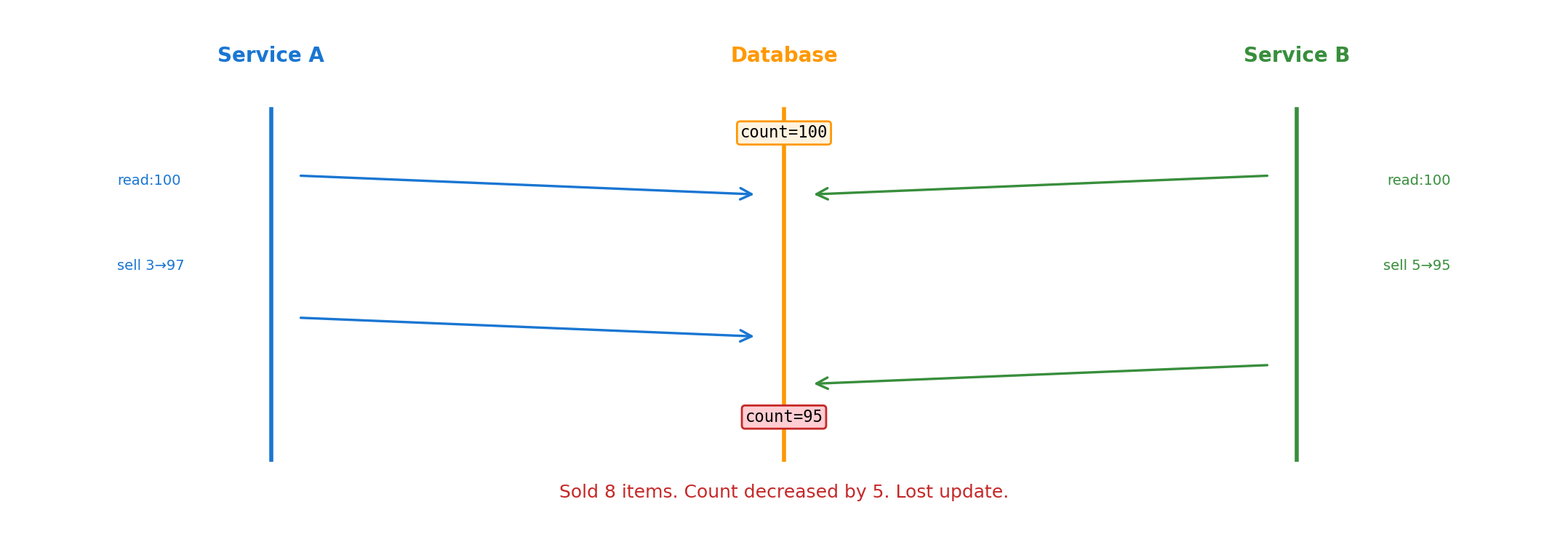
# Shared statetotal =100# Thread A # Thread Bread total → 100 read total → 100add 50 → 150 add 30 → 130write total ← 150 write total ← 130
Both threads read total = 100. Thread A computes 150, Thread B computes 130. Whichever writes last wins.
Expected result: 180.
Actual result: 130 or 150.
Both threads run on the same CPU. Memory access takes nanoseconds. The problem is not speed. Two agents modified shared state without coordination.
Threading Bugs Occur Without Any Network
Deadlock: Two locks, opposite order
# Thread A # Thread Bacquire(lock_1) acquire(lock_2)acquire(lock_2) ←wait acquire(lock_1) ←wait
Thread A holds lock_1, waits for lock_2. Thread B holds lock_2, waits for lock_1. Neither proceeds.
Lost update: Check-then-act
if count >0:# Thread B decrements count here count -=1# Now negative
Visibility: Cached state
Thread A writes flag = True. Thread B reads flag = False. Each thread’s view of memory differs due to CPU caching.
These are coordination failures. No network involved. Shared memory. Nanosecond access. Still broken.
Coordination Difficulty Is Not About Speed
Threading demonstrates the point: coordination challenges exist even when:
Memory is shared (no messages needed)
Access is fast (nanoseconds, not milliseconds)
Failure is atomic (whole process crashes, no partial failure)
There’s a global clock (CPU timestamp counter)
The difficulty is reasoning about concurrent access to shared state. Multiple agents, acting independently, can interfere with each other.
Adding network distribution makes coordination harder—but it doesn’t create the fundamental problem. The fundamental problem is concurrency itself.
Distribution amplifies coordination challenges. It doesn’t invent them.
Distribution Amplifies Every Coordination Challenge
When Thread A calls a function, the function executes or the process crashes. There is no intermediate state.
When Component A sends a message to Component B:
The message might never arrive. A could wait forever.
B might process the message and crash before responding. A doesn’t know if the operation succeeded.
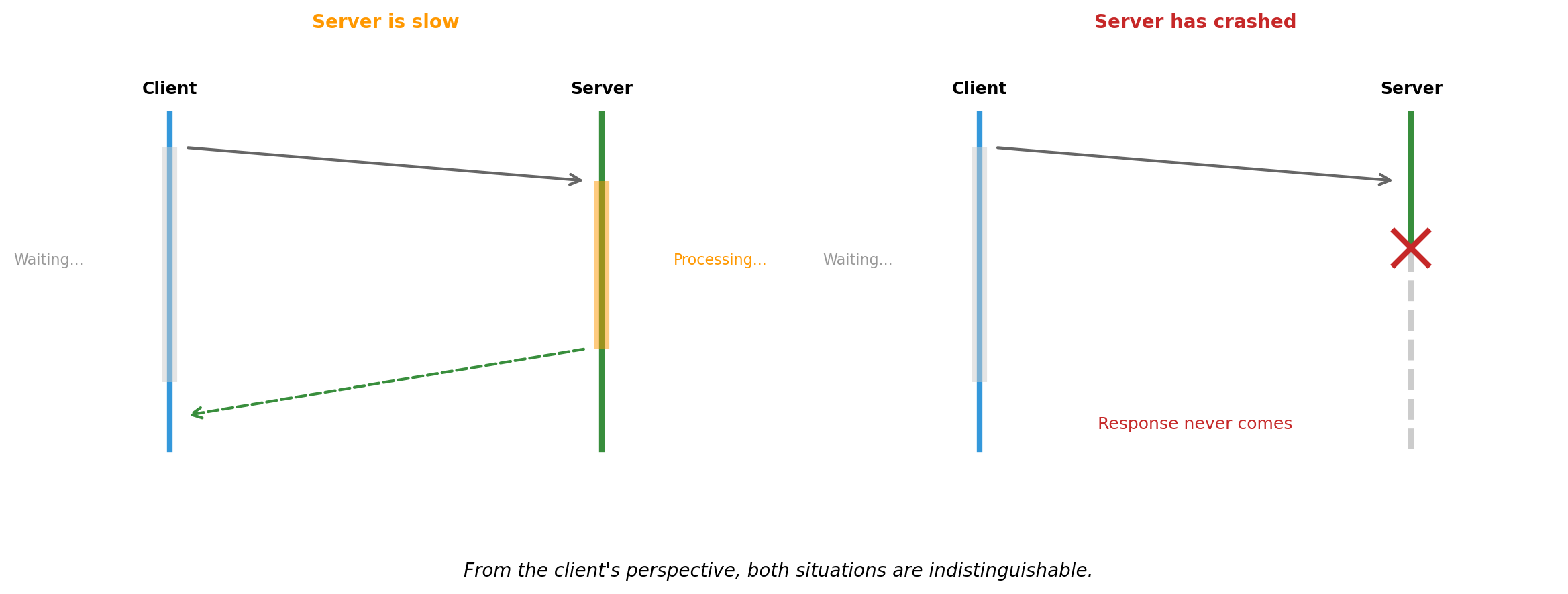
B might be slow. A cannot distinguish “slow” from “dead.”
A times out and retries. But B processed the first request. Now the operation happens twice.
This uncertainty—not knowing whether a remote operation succeeded—has no equivalent in local programming. It requires fundamentally different patterns.
Partial Failure Has No Threading Equivalent
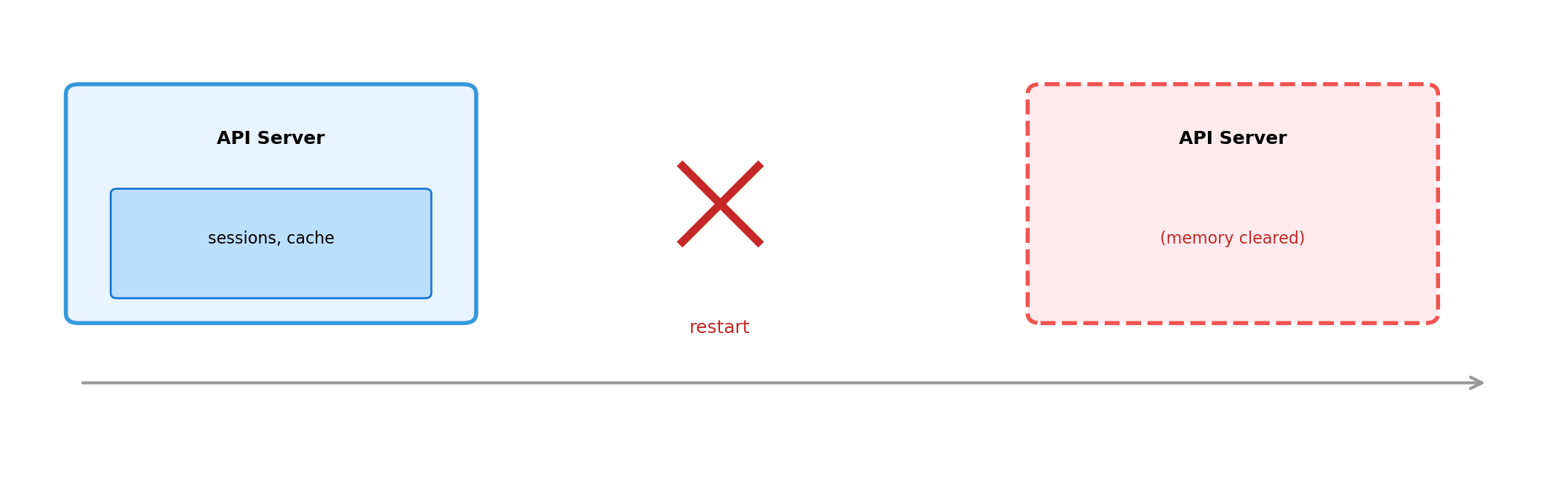
In a single process, failure is total. If any thread causes a segmentation fault, the entire process terminates. All threads die together.
In a distributed system, failure is partial. The database crashes. The web server continues running. It sends queries into a void and waits for responses that will never come.
Partial failure means:
Any component can fail at any time
Other components continue operating
Failed component might recover
Might recover with different state
Might never recover
Every component must handle the ongoing uncertainty of whether its dependencies are available, right now, for this operation.
These Challenges Exist at Every Scale
Two containers on a laptop. Two services in a datacenter. Two thousand instances across regions.
Web app calling a database
Application sends INSERT. Connection drops.
Did the INSERT succeed?
Retry might create duplicate row
No retry might lose the write
This happens whether the database is on the same machine, in the same rack, or across the world. The uncertainty is identical.
Background worker processing jobs
Worker pulls job from queue. Worker crashes.
Did it finish processing?
Should queue re-deliver?
Re-delivery might duplicate work
No re-delivery might lose the job
Same coordination problem at any scale. The number of machines changes the probability of failure, not the nature of it.
The patterns for handling uncertainty at small scale are the same patterns used at large scale.
Local Development Can Replicate Production Patterns
If coordination challenges were only about scale, you’d need a datacenter to learn distributed systems.
But the challenges are about structure, not size. A laptop running containers exhibits:
Network communication between components
Message loss and timeout scenarios
Independent component failure
State coordination across processes
The same architectural patterns apply. The same failure modes appear. The same solutions work.
Course Topics Address Coordination Challenges
Isolation and packaging
Containers provide boundaries where components can fail independently. Orchestration manages component lifecycle.
Communication
APIs and protocols define how components exchange messages. HTTP, REST, and other patterns structure coordination.
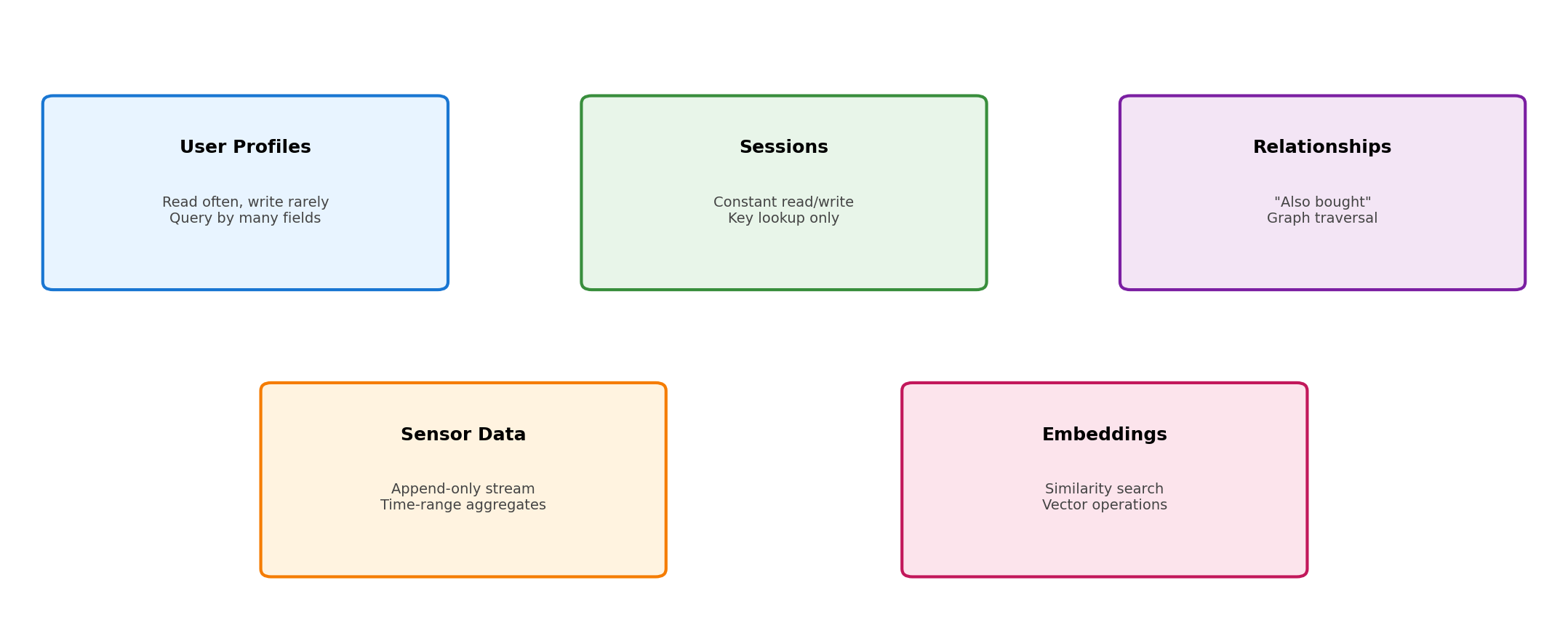
State management
Databases provide coordination mechanisms for shared state. Storage systems handle persistence across failures.
Handling uncertainty
Timeouts, retries, and error handling manage the unknown outcomes of remote operations.
Composition
Services combine into systems where coordination requirements are explicit in the architecture.
Observability
Monitoring and logging make distributed behavior visible. Cannot attach a debugger across twelve machines.
Distribution creates coordination challenges. The course teaches patterns for managing them.
Why Distribute?
Distribution Adds Complexity
Coordination across components requires:
Explicit message passing instead of shared memory
Handling unknown outcomes from network requests
Designing for partial failure
Reasoning about ordering without a global clock
A single process avoids all of this. The runtime handles coordination implicitly.
Given the added complexity, distribution requires justification. What do separate components provide that a single process cannot?
Specialized Components Optimize for Different Workloads
A database engine optimizes for:
Storage layouts that minimize disk seeks
Query planning across indexes
Transaction isolation between concurrent operations
Write-ahead logging for crash recovery
An HTTP server optimizes for:
Connection handling across thousands of clients
Request parsing and routing
Response streaming
TLS termination
Building both into one program means neither reaches its potential. Separate components allow focused optimization.
Years of Engineering Accumulate in Specialized Systems
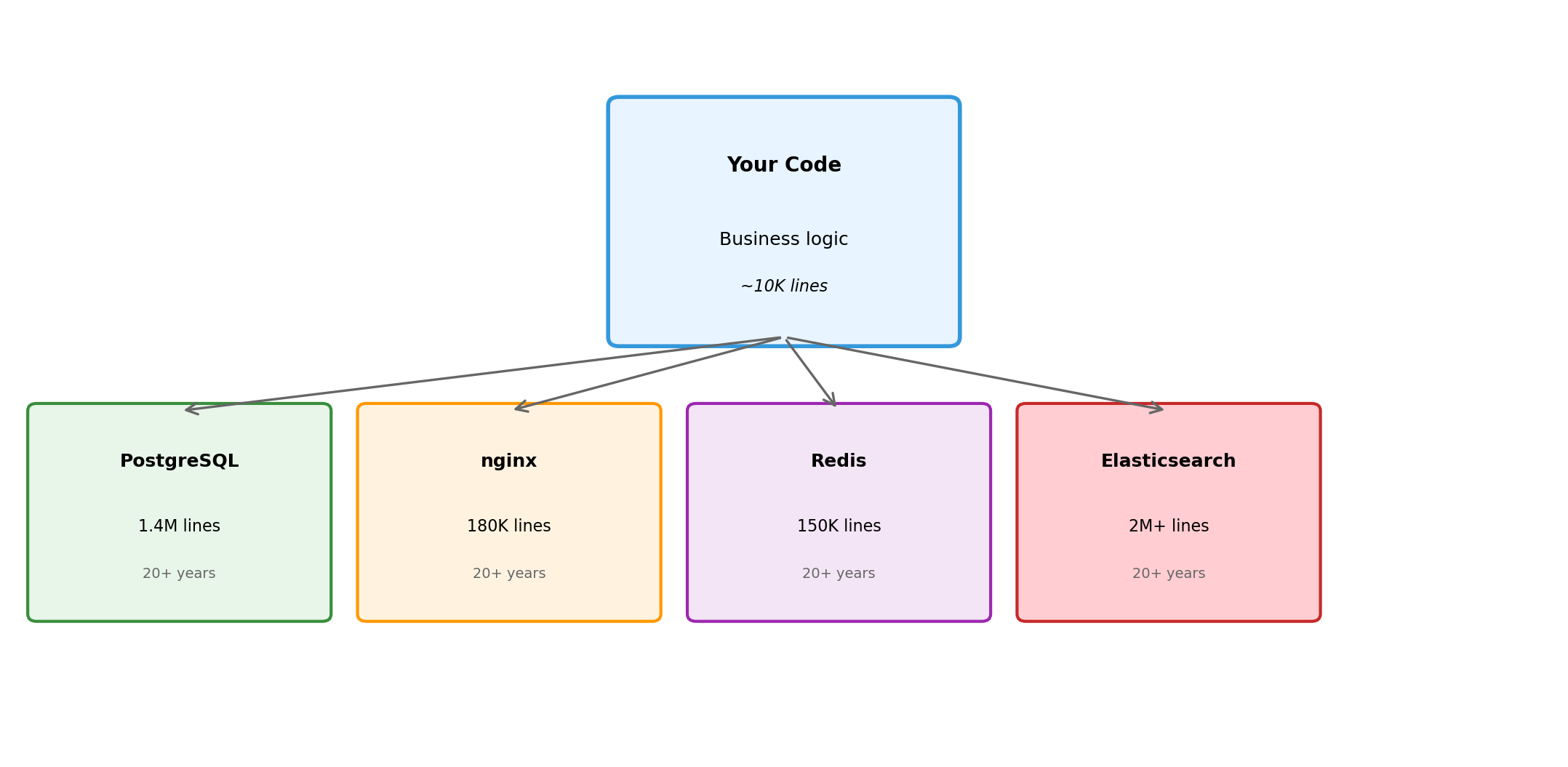
PostgreSQL: first released 1996. Continuous development since then.
Query optimizer handles hundreds of plan variations
Extensions enable custom types, indexes, languages
Replicating this in application code: impractical. The specialization represents decades of focused work on a specific domain.
The same applies to web servers (nginx, Apache), caches (Redis, Memcached), message queues (RabbitMQ, Kafka), search engines (Elasticsearch), and every other infrastructure component.
Using specialized components means building on accumulated expertise rather than starting from scratch.
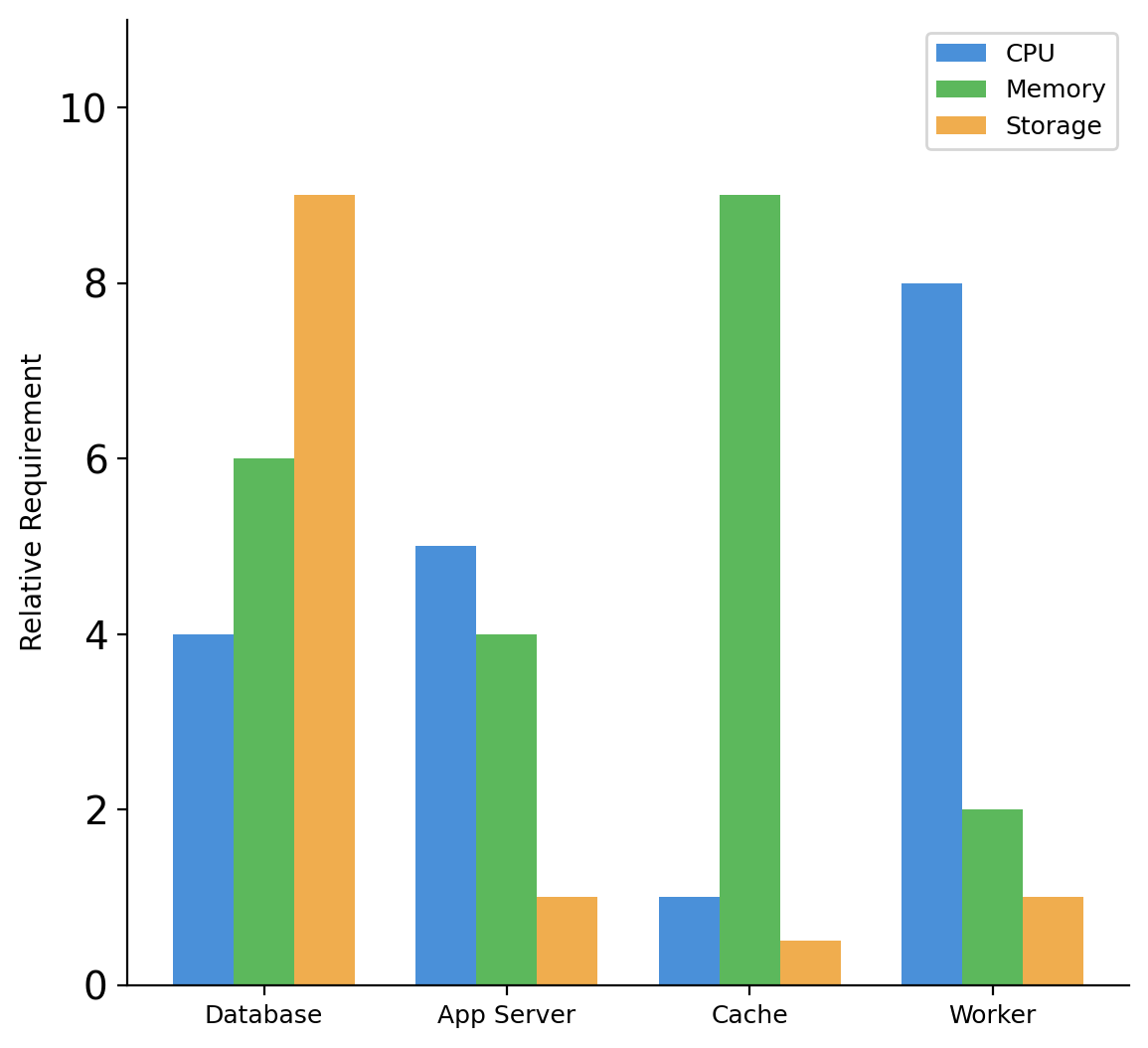
Resource Requirements Differ by Component Type
Database
High storage (data persists)
Moderate memory (buffer pool, caches)
Variable CPU (query execution)
Web/Application server
Low storage (stateless)
Moderate memory (request handling)
Variable CPU (business logic)
Cache
No persistent storage
High memory (that’s the point)
Low CPU (simple operations)
Background worker
Low storage
Low memory (between jobs)
High CPU (during processing)
Bundling components together means provisioning for the maximum of each resource type across all workloads.
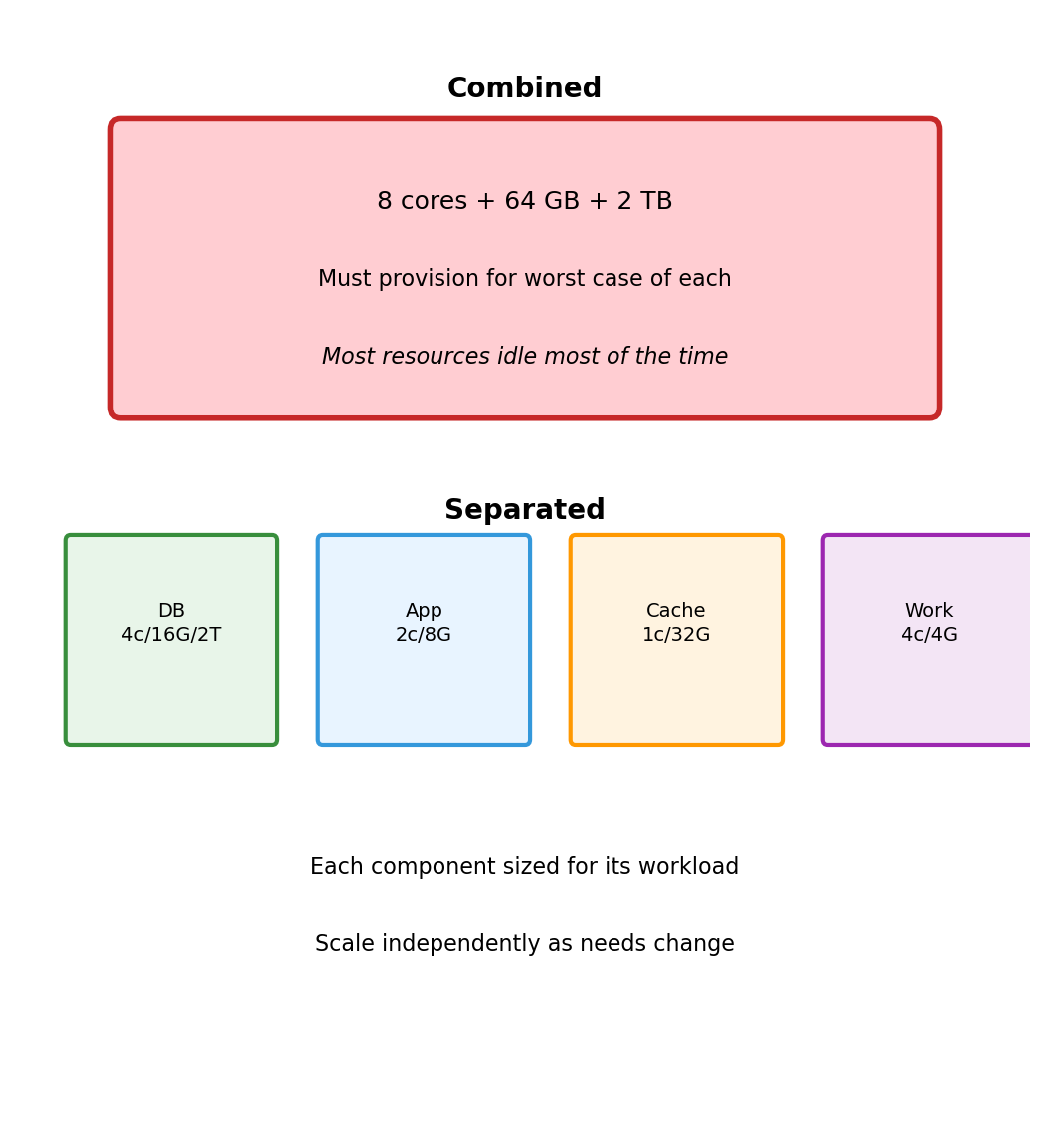
Separate Components Allow Independent Resource Allocation
Combined deployment on one machine:
8 CPU cores (for worker peaks)
64 GB memory (for cache)
2 TB storage (for database)
All resources allocated even when idle
Separate deployments:
Database: 4 cores, 16 GB, 2 TB storage
App server: 2 cores, 8 GB, minimal storage
Cache: 1 core, 32 GB, no storage
Worker: 4 cores, 4 GB, minimal storage
Total resources can be lower because each component gets what it needs, not what the most demanding component requires.
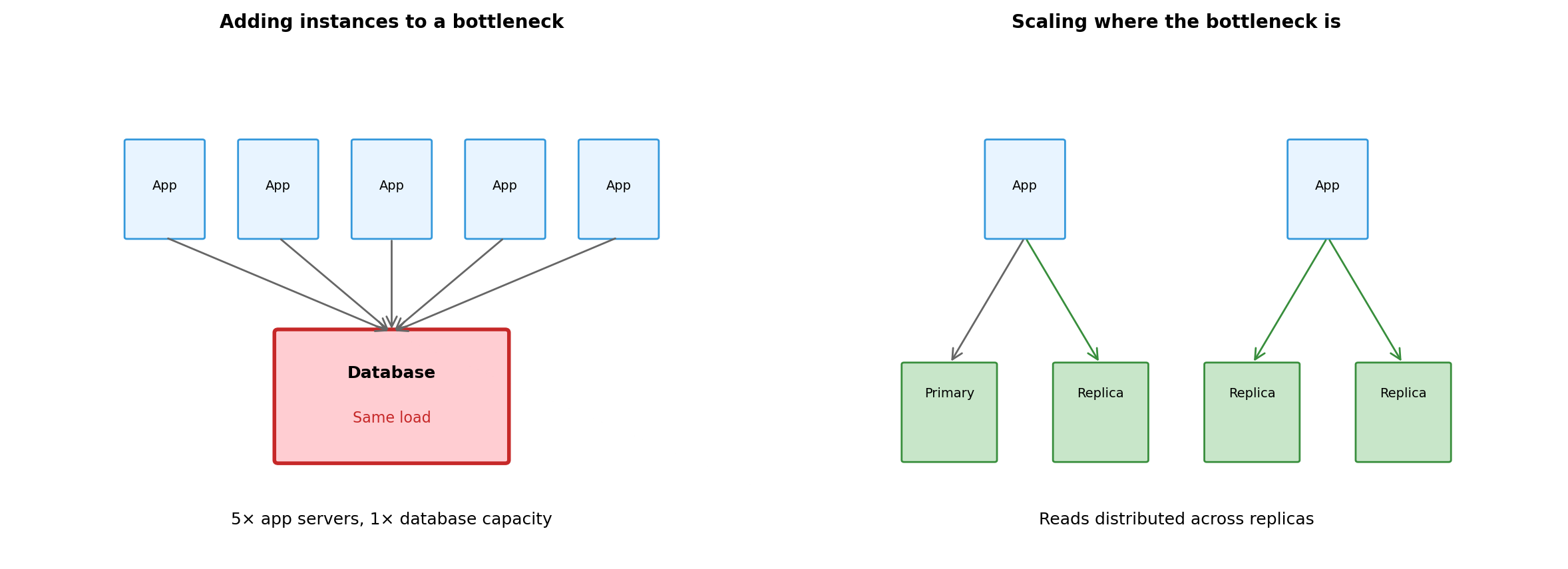
When one component needs more, scale that component. Others remain unchanged.
Traffic Patterns Vary by Component
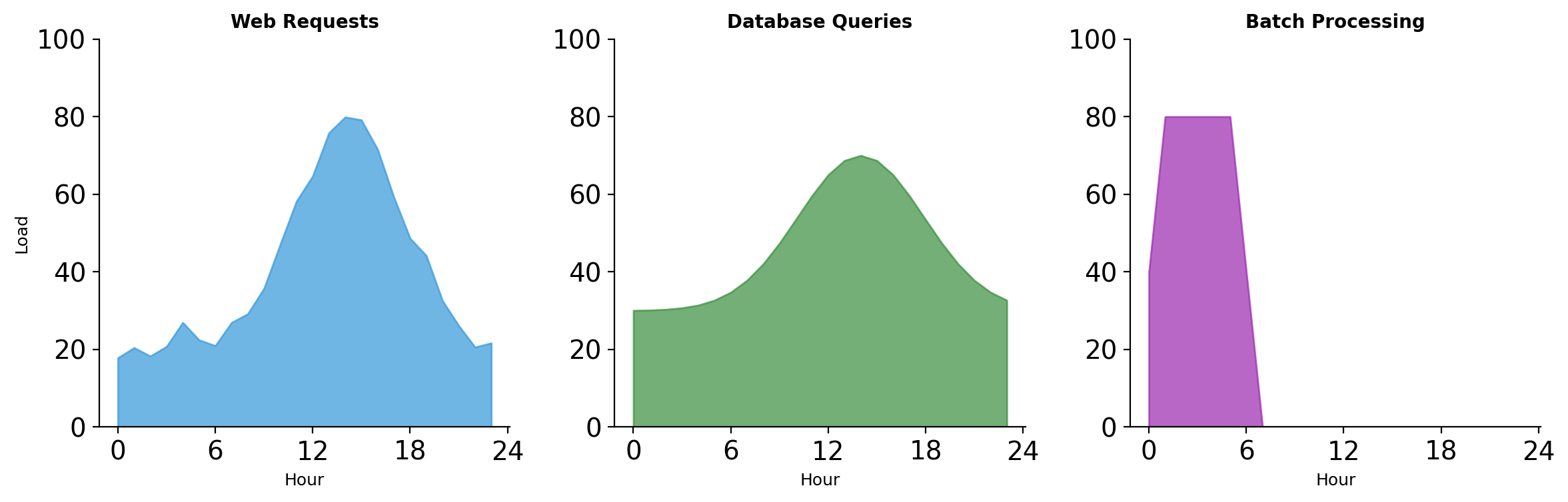
Web traffic peaks during business hours. Batch jobs run overnight when web traffic is low.
Combined deployment: must handle peak web traffic + batch processing simultaneously (even though they naturally offset).
Separate deployment: web servers scale up during day, batch workers scale up at night. Total capacity can be lower because peaks don’t overlap.
Failure Containment Through Process Boundaries
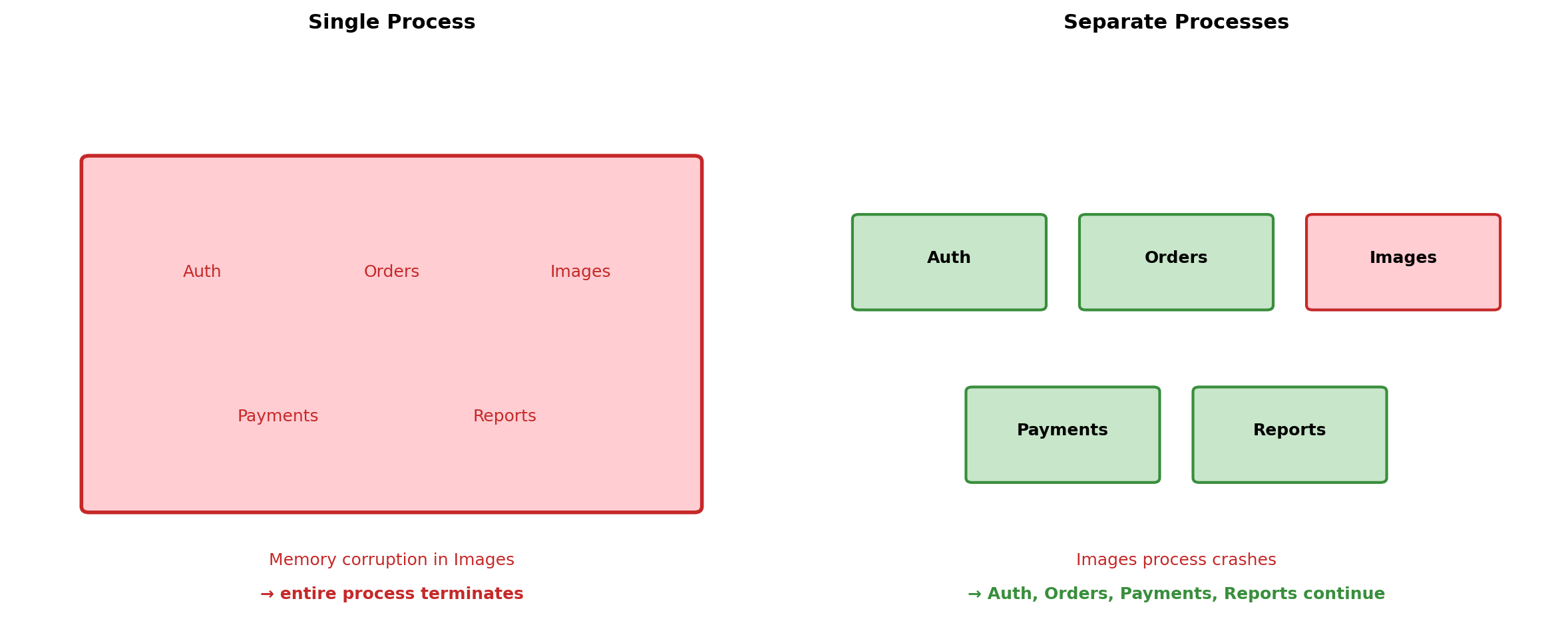
Process boundaries create failure domains. A crash in one process cannot corrupt memory in another.
Secrets Stay Within Their Boundaries
Component
Has Access To
Does Not Have
Web Server
TLS certificates
Database credentials
App Server
Database credentials
Payment API keys
Payment Service
Payment API keys
User session data
Background Worker
Job queue credentials
Direct user access
Compromise of one component limits exposure. Attacker who breaches the web server cannot read the database directly—must breach the app server separately.
Each boundary requires a separate exploit. Defense multiplies.
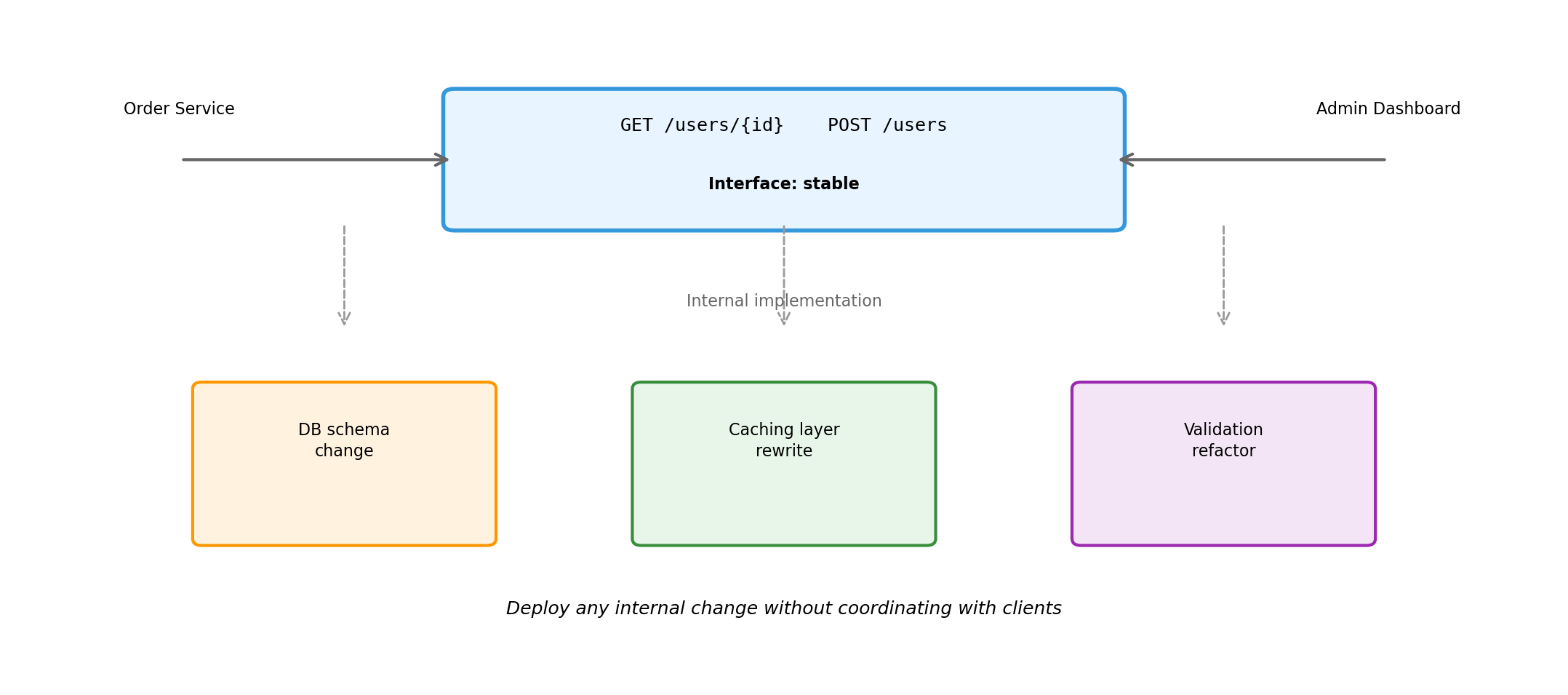
External interface defines the contract. Internal changes—database migrations, caching strategies, validation logic—are invisible to clients.
Interfaces Enable Component Substitution
Scenario
Interface
Old Implementation
New Implementation
Client Change
Database migration
SQL protocol
MySQL
PostgreSQL
Connection string
Managed cache
Redis protocol
Self-hosted Redis
ElastiCache
Endpoint config
Search upgrade
Query API
Custom code
Elasticsearch
API adapter
Email provider
SMTP / HTTP API
Self-hosted
SendGrid
Credentials
Standard interfaces mean implementations are interchangeable. The component behind the interface can change—upgraded, replaced, outsourced—without rewriting clients.
Applications Compose Existing Capabilities
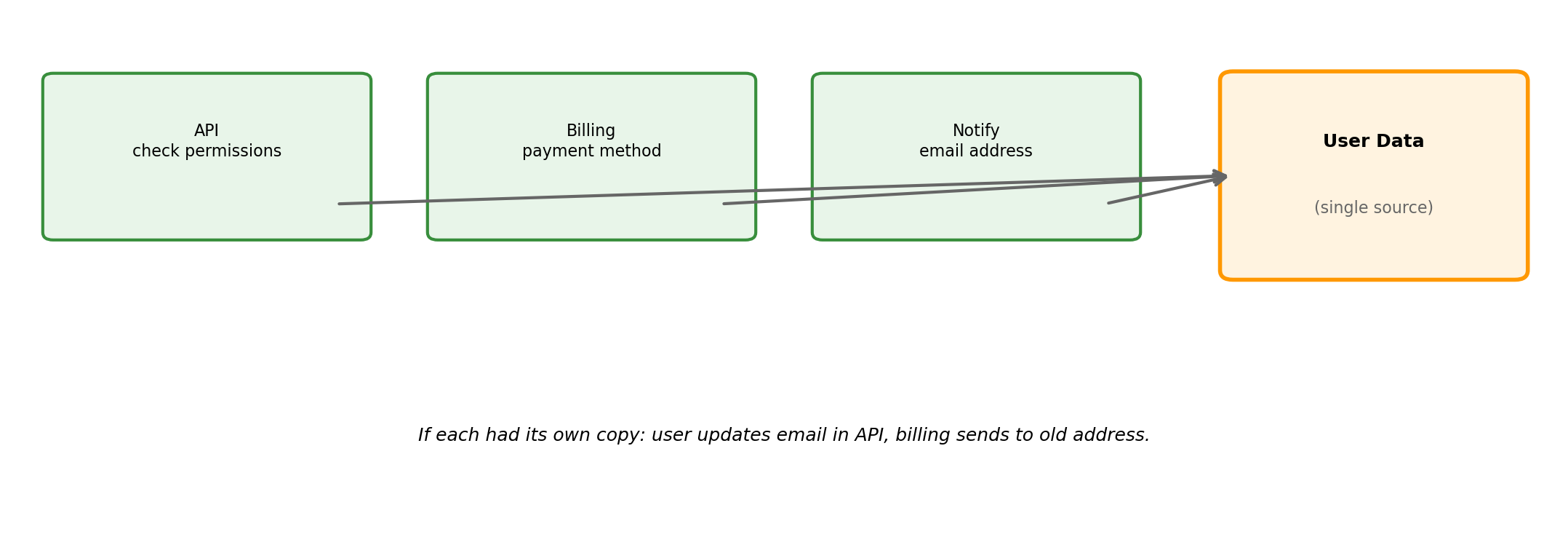
Writing 10,000 lines to compose millions of lines of specialized infrastructure.
Distribution Enables Scaling (But Does Not Guarantee It)
Scaling requires decomposing along boundaries that allow independent scaling. Distribution makes decomposition possible. Architecture determines whether scaling works.
Distribution Requires Justification
Benefit
Cost
Specialized components
Explicit coordination
Independent resource allocation
Network uncertainty
Failure containment
Partial failure handling
Security boundaries
Operational complexity
Deployment independence
Interface management
Composition from existing systems
Distributed debugging
The benefits must outweigh the costs for the specific system being built. A system that doesn’t need failure containment, security boundaries, or independent scaling pays the coordination cost without receiving the benefit.
The Cloud Model
Infrastructure as Services Over a Network
Traditional model:
Buy servers, install in datacenter
Buy storage arrays, configure RAID
Buy network equipment, cable everything
Hire staff to maintain, monitor, replace
Cloud model:
Compute exists as a service you request
Storage exists as a service you request
Networking exists as a service you request
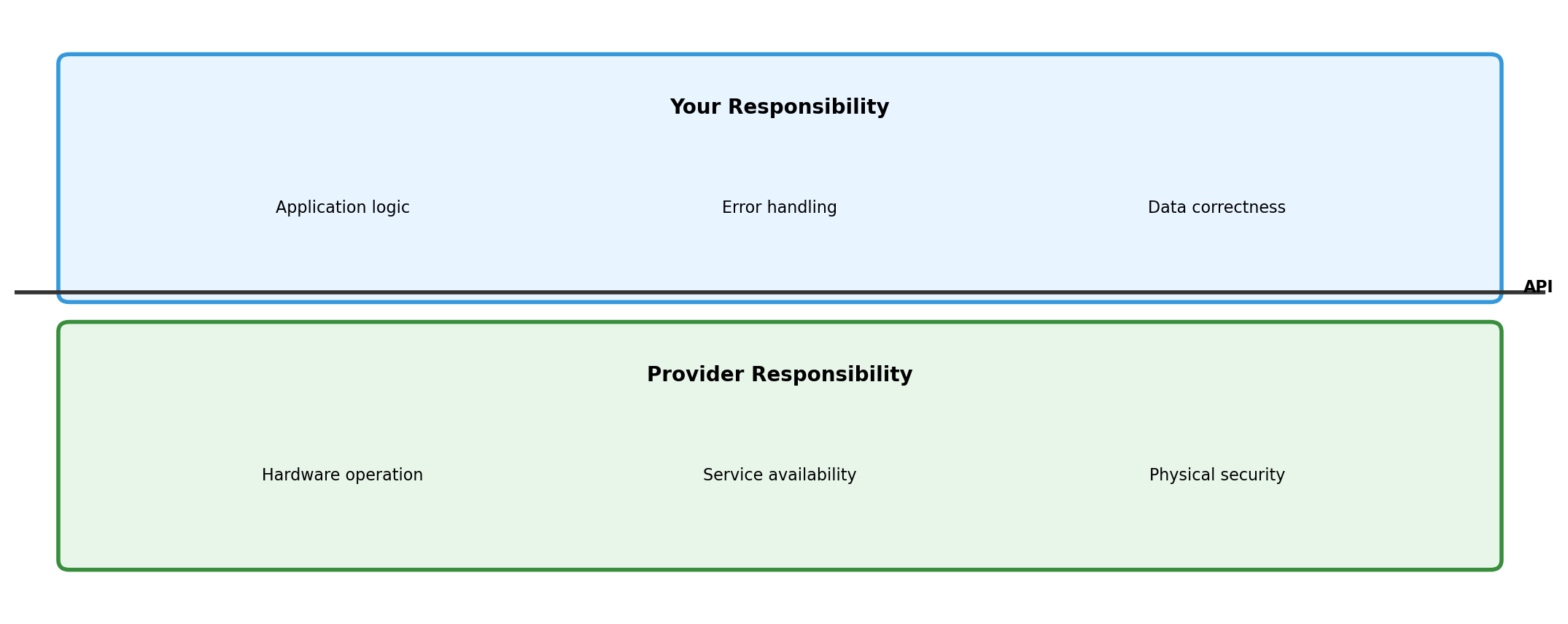
Provider operates the physical infrastructure
You don’t own resources. You consume them through APIs.
Cloud Providers Run Distributed Systems So You Can Run Yours
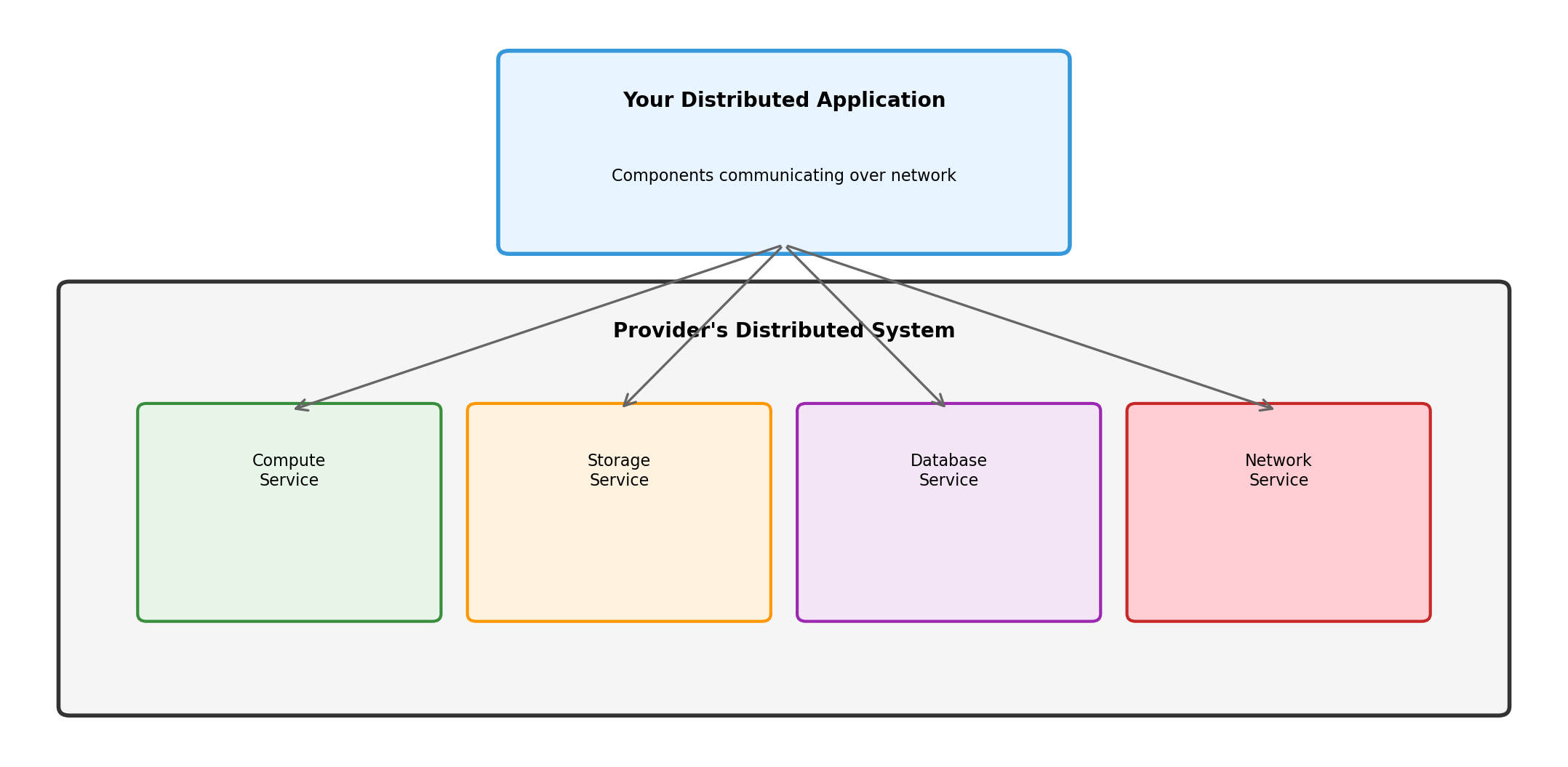
When you request a database, you’re calling a service. That service coordinates with storage services, networking services, monitoring services. Distributed systems all the way down.
Every Resource Is a Network Endpoint
Storage is not a local disk. It’s a service at a URL.
Three services. Their relationships. Their configuration.
Run docker-compose up. Infrastructure exists.
Change the file. Run again. Infrastructure updates.
Delete the file. Run down. Infrastructure gone.
Resources Can Scale Because They’re Services
Fixed hardware:
10 servers purchased
Traffic exceeds capacity
Order more servers (weeks)
Install, configure (days)
Traffic already gone
Resources as services:
Request 10 compute units
Traffic exceeds capacity
Request 20 compute units (seconds)
Traffic subsides
Release 15 compute units (seconds)
Scaling is an API call, not a procurement process.
Geographic Presence Through Configuration
Provider operates datacenters in multiple regions:
Region
Location
Use Case
us-east-1
N. Virginia
Primary US
eu-west-1
Ireland
European users, GDPR
ap-northeast-1
Tokyo
Asian users
Deploy to a region by specifying it in configuration:
s3 = boto3.client('s3', region_name='eu-west-1')
Physical presence in Frankfurt, Tokyo, São Paulo—without owning datacenters there.
What Cloud Changes
Traditional
Cloud
Own hardware
Rent services
Build infrastructure
Configure infrastructure
Fixed capacity
Elastic capacity
Capital expense
Operational expense
Provision in weeks
Provision in seconds
Limited geography
Global presence
What doesn’t change:
Coordination challenges between components
Network communication model
Need to handle failures
Application design responsibility
Cloud shifts where the infrastructure comes from. It doesn’t eliminate the distributed systems problems—it gives you building blocks to construct solutions.
Isolation and Virtualization
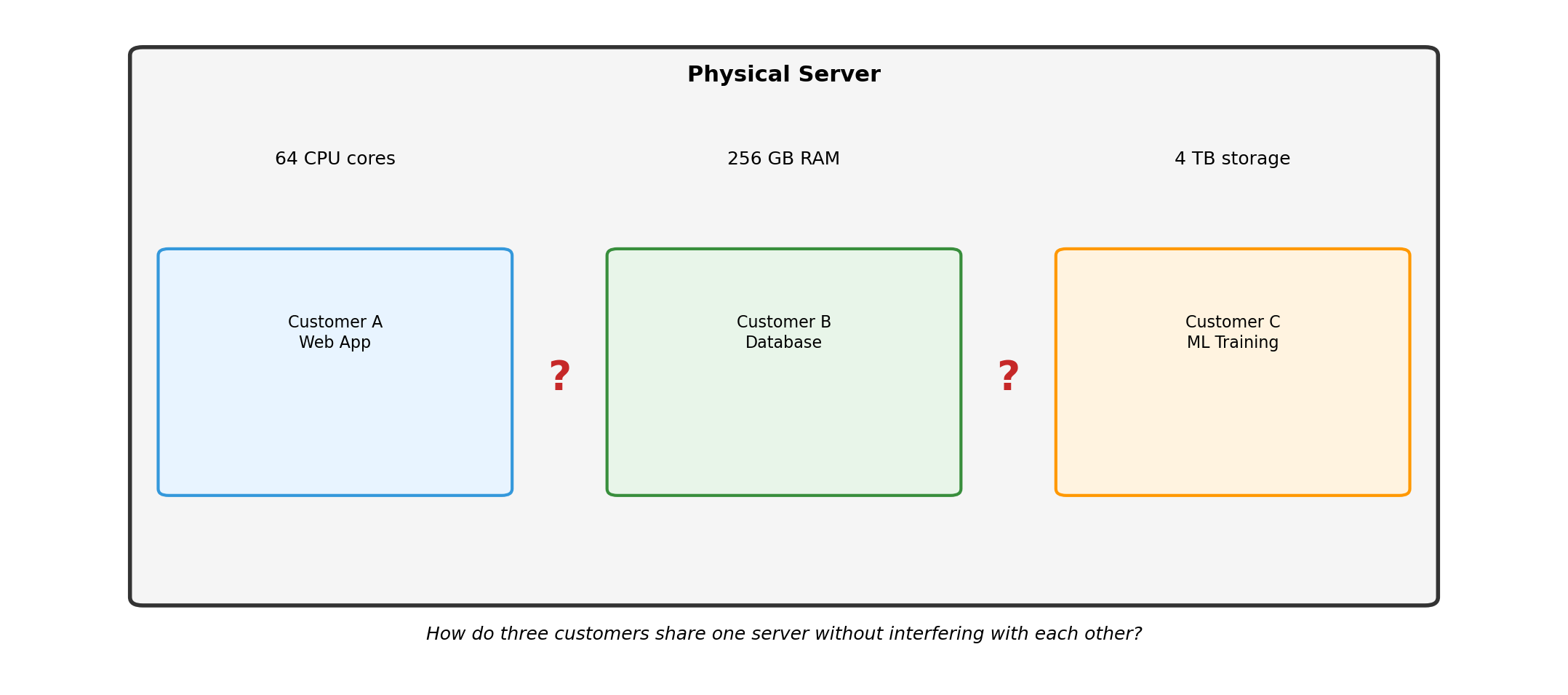
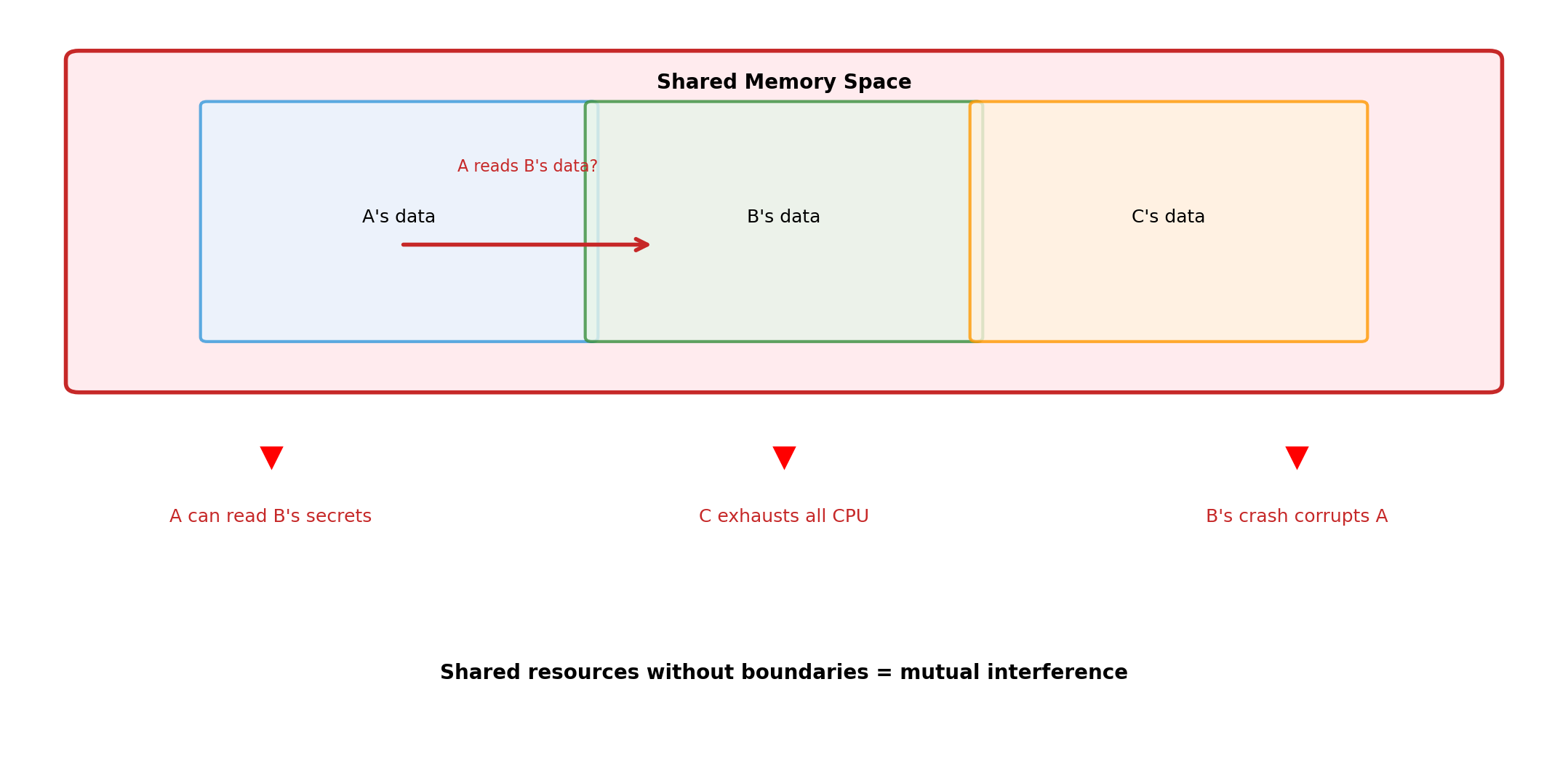
Multiple Workloads, Shared Hardware
Without Isolation: Interference
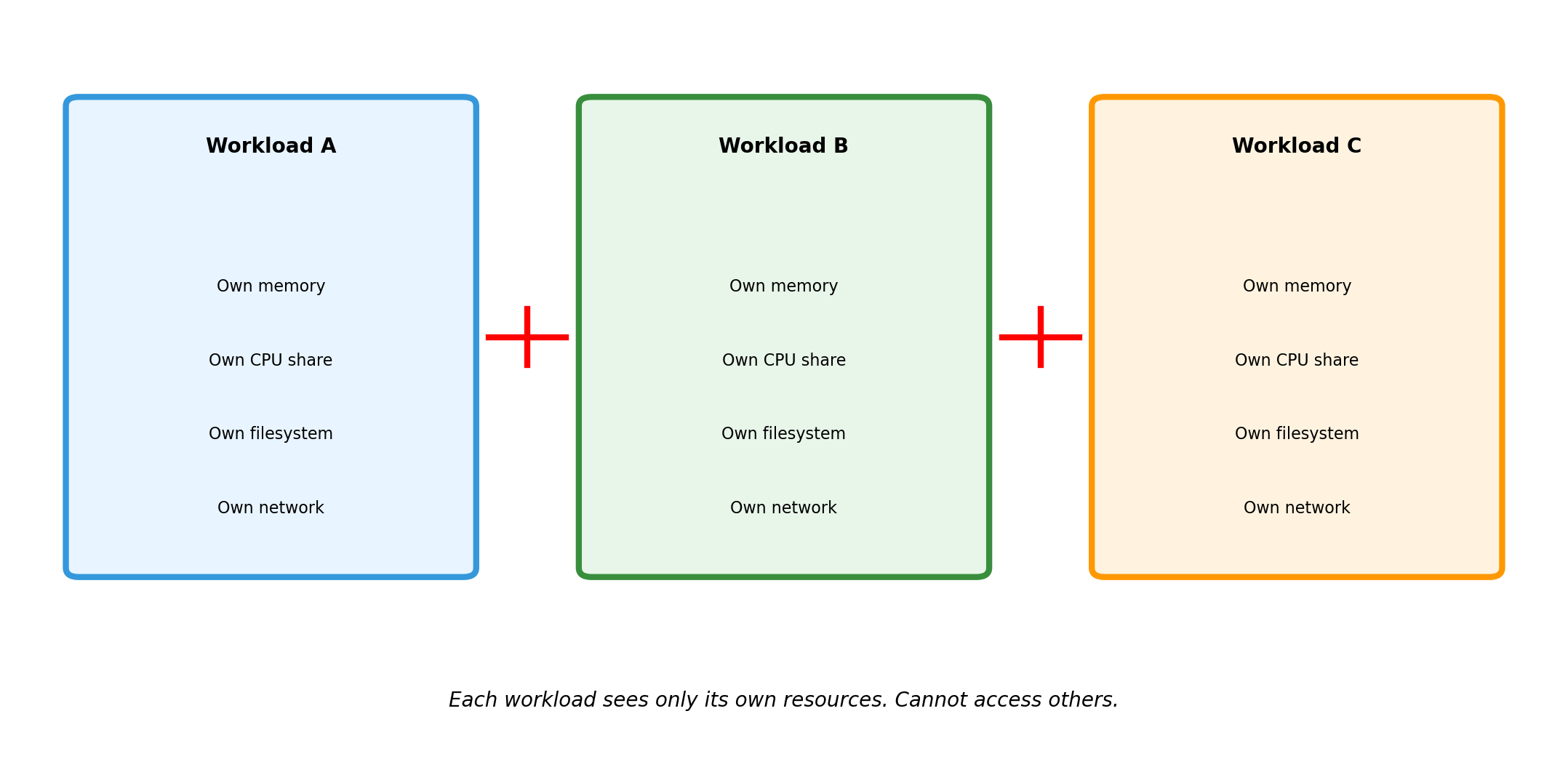
Isolation Creates Boundaries
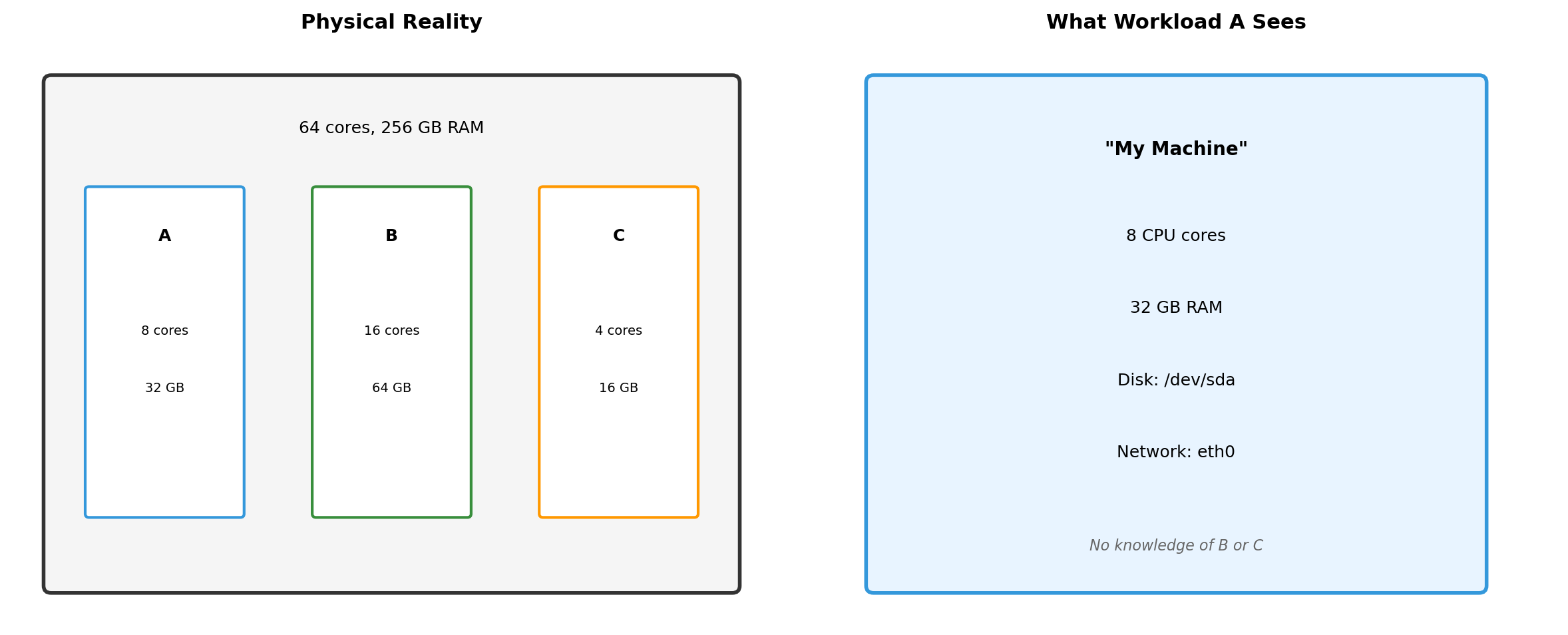
What Each Isolated Environment Sees
Workload A cannot detect that B and C exist. It sees a complete machine with its allocated resources. The isolation is invisible from inside.
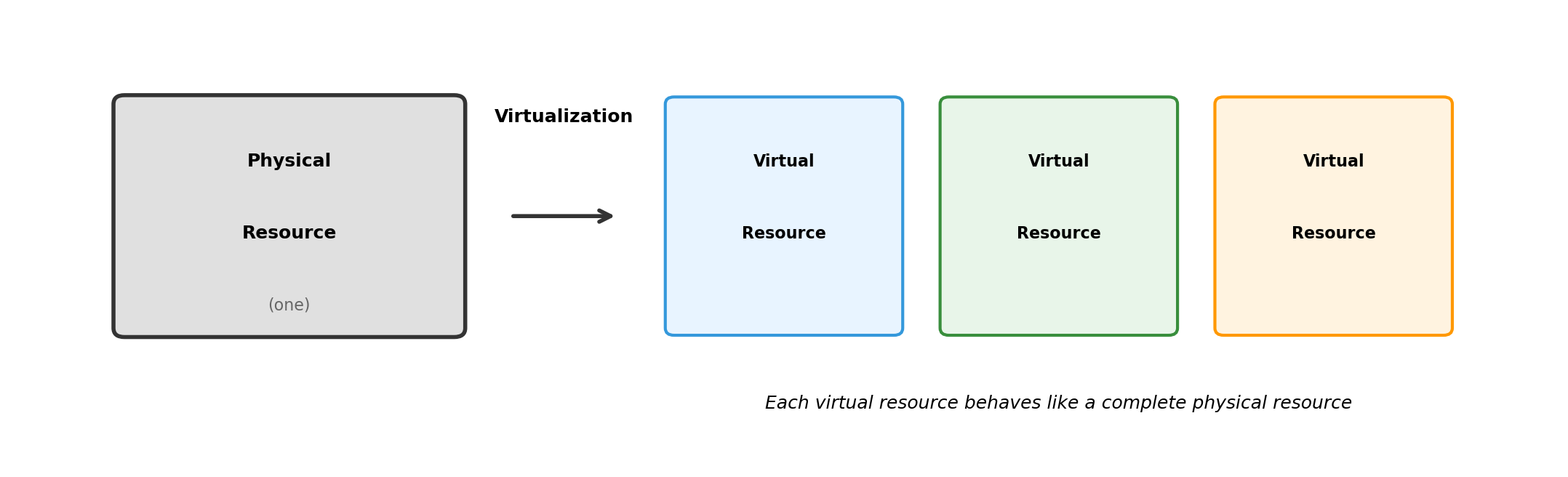
Virtualization: Making One Thing Look Like Another
Virtualization creates an abstraction that behaves like the real thing.
Software interacting with a virtual resource doesn’t know it’s virtual. The abstraction is complete.
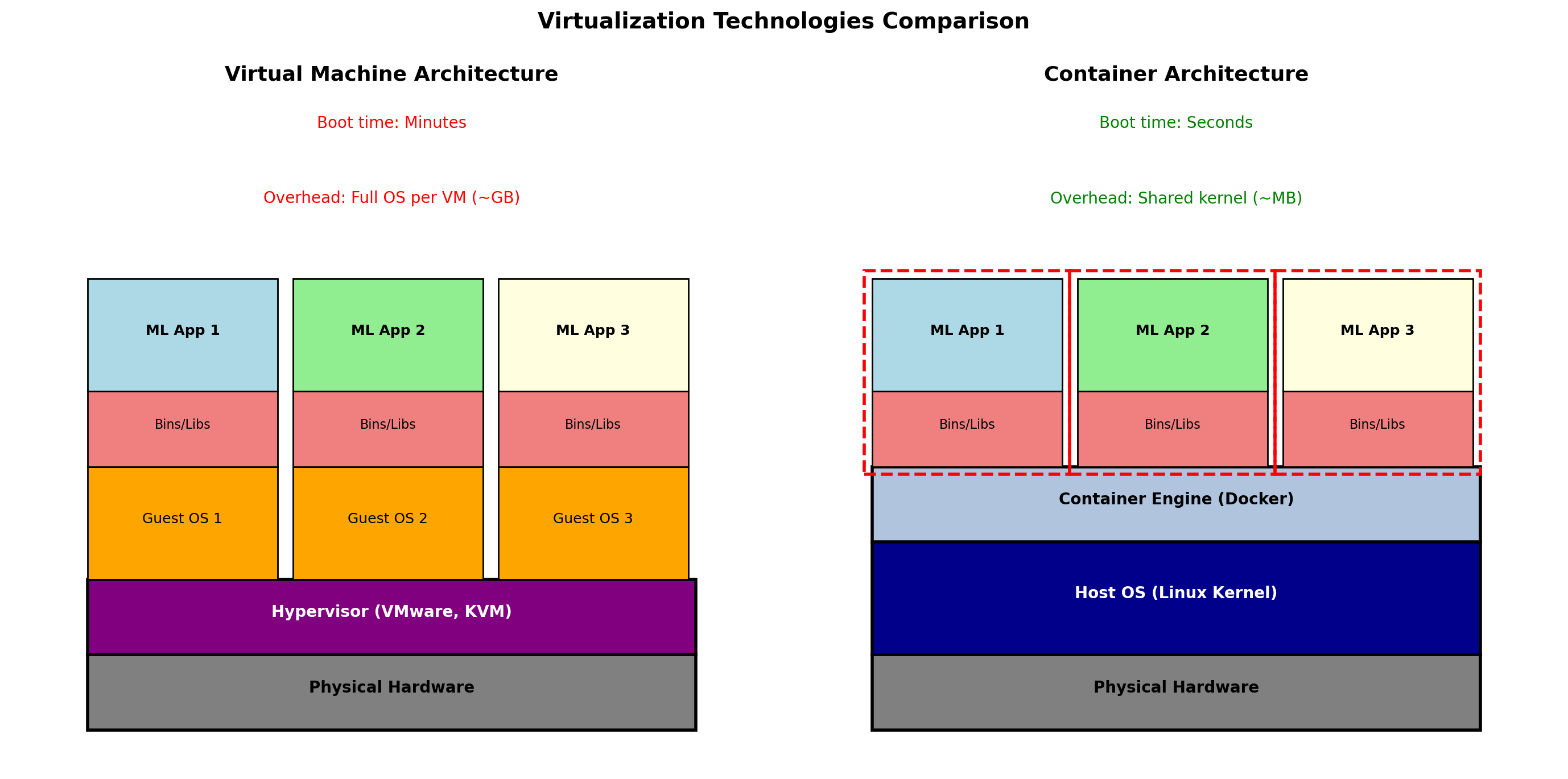
Virtual Machines: Virtualize Hardware
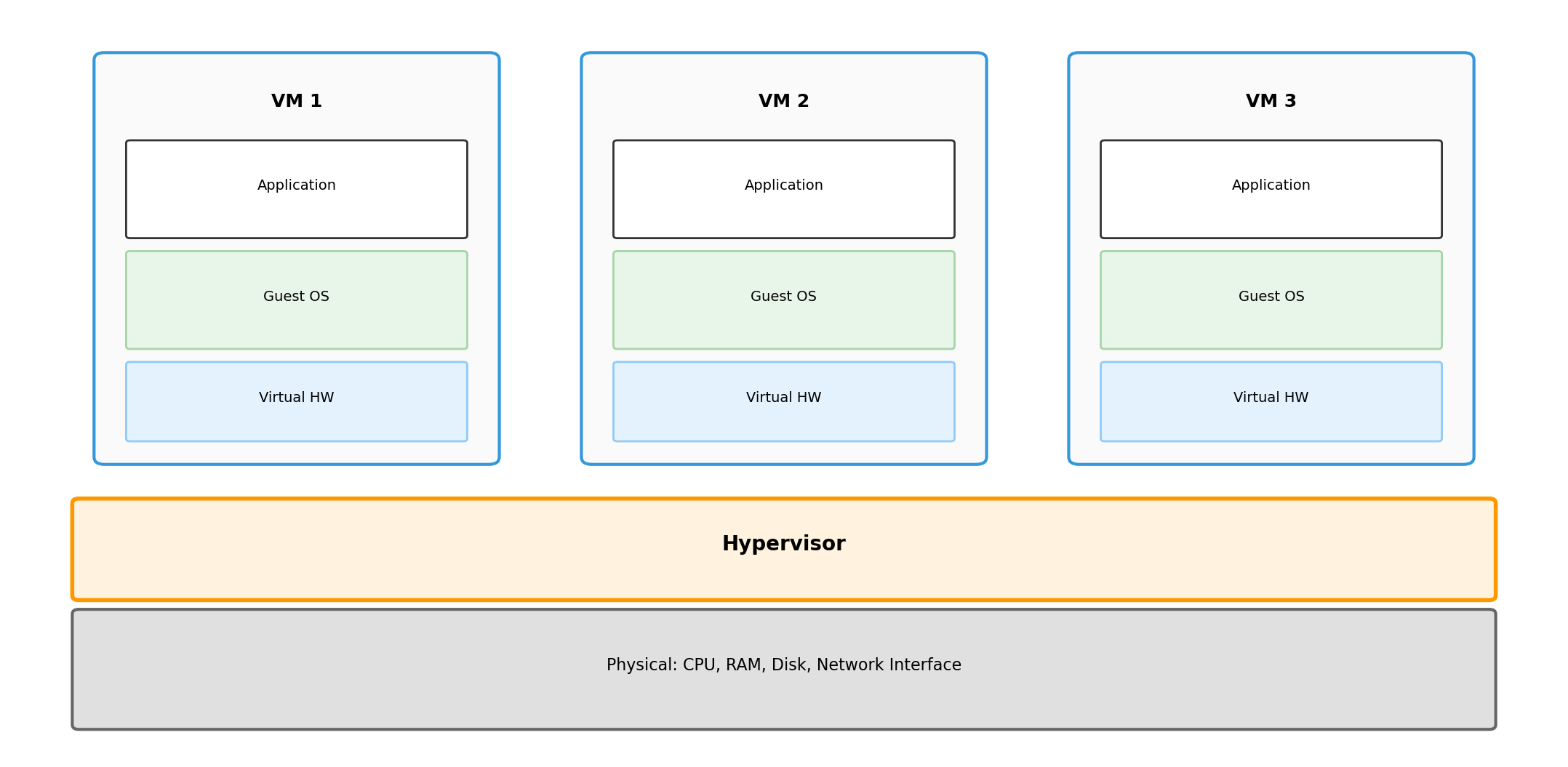
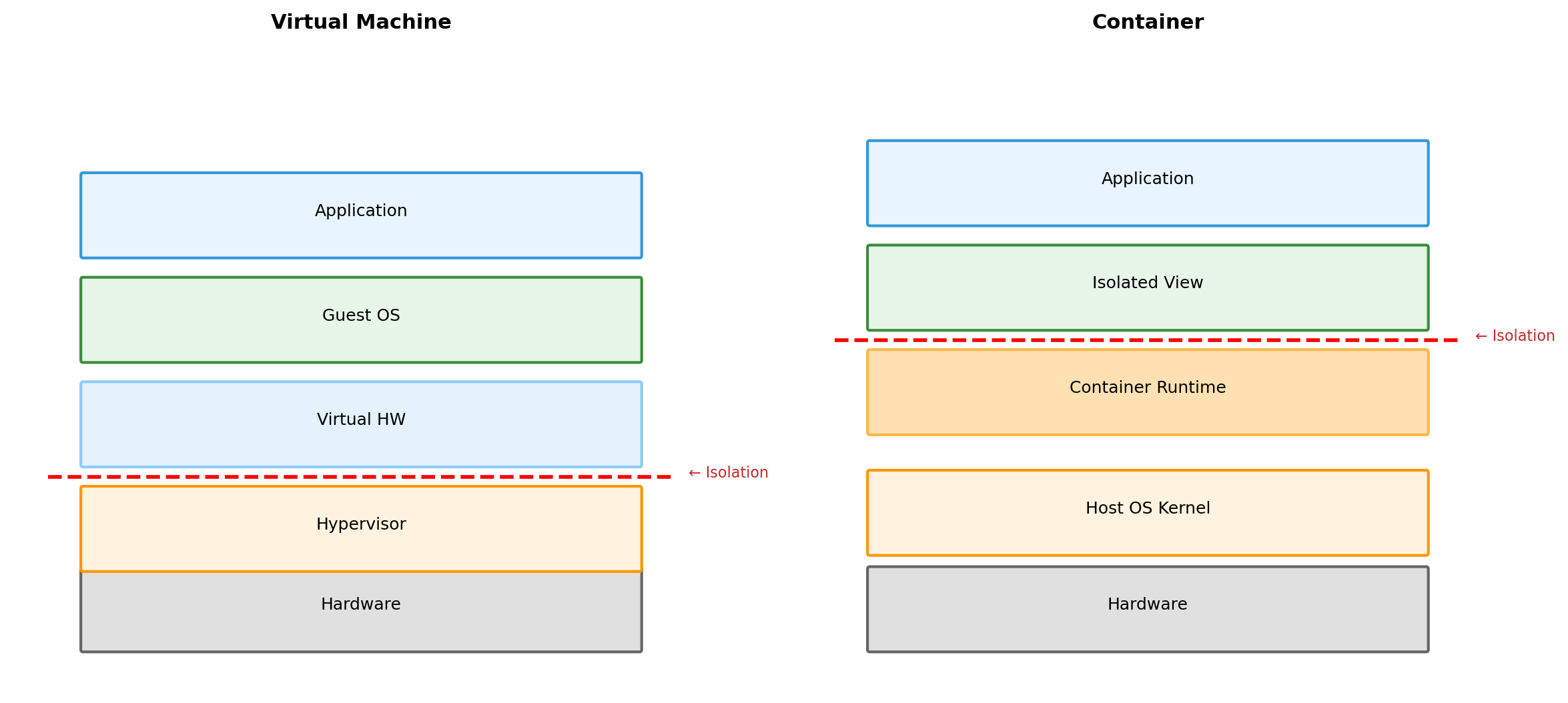
A hypervisor sits between physical hardware and guest operating systems.
Each VM gets virtualized CPU, RAM, disk, network. Guest OS runs unmodified—it believes it has real hardware.
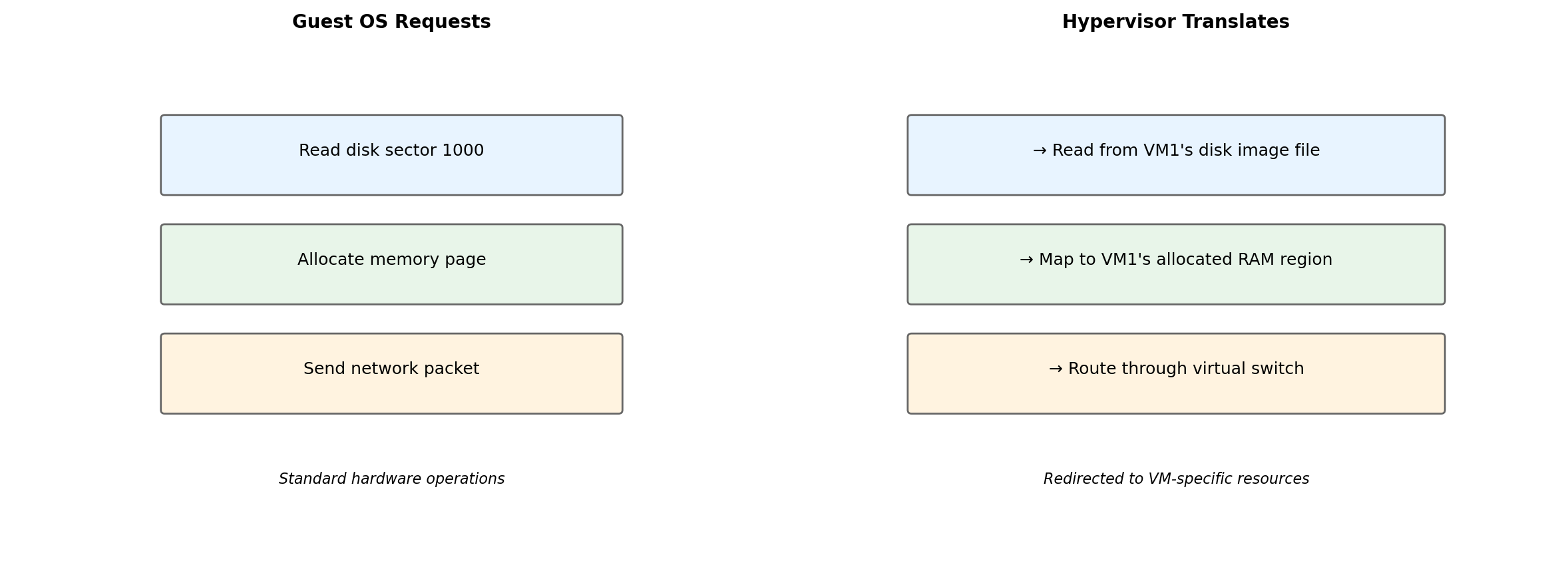
The Guest OS Cannot Tell the Difference
The guest OS issues normal hardware instructions. The hypervisor intercepts and redirects them to the VM’s allocated resources. Isolation enforced transparently.
Containers: Virtualize the Operating System
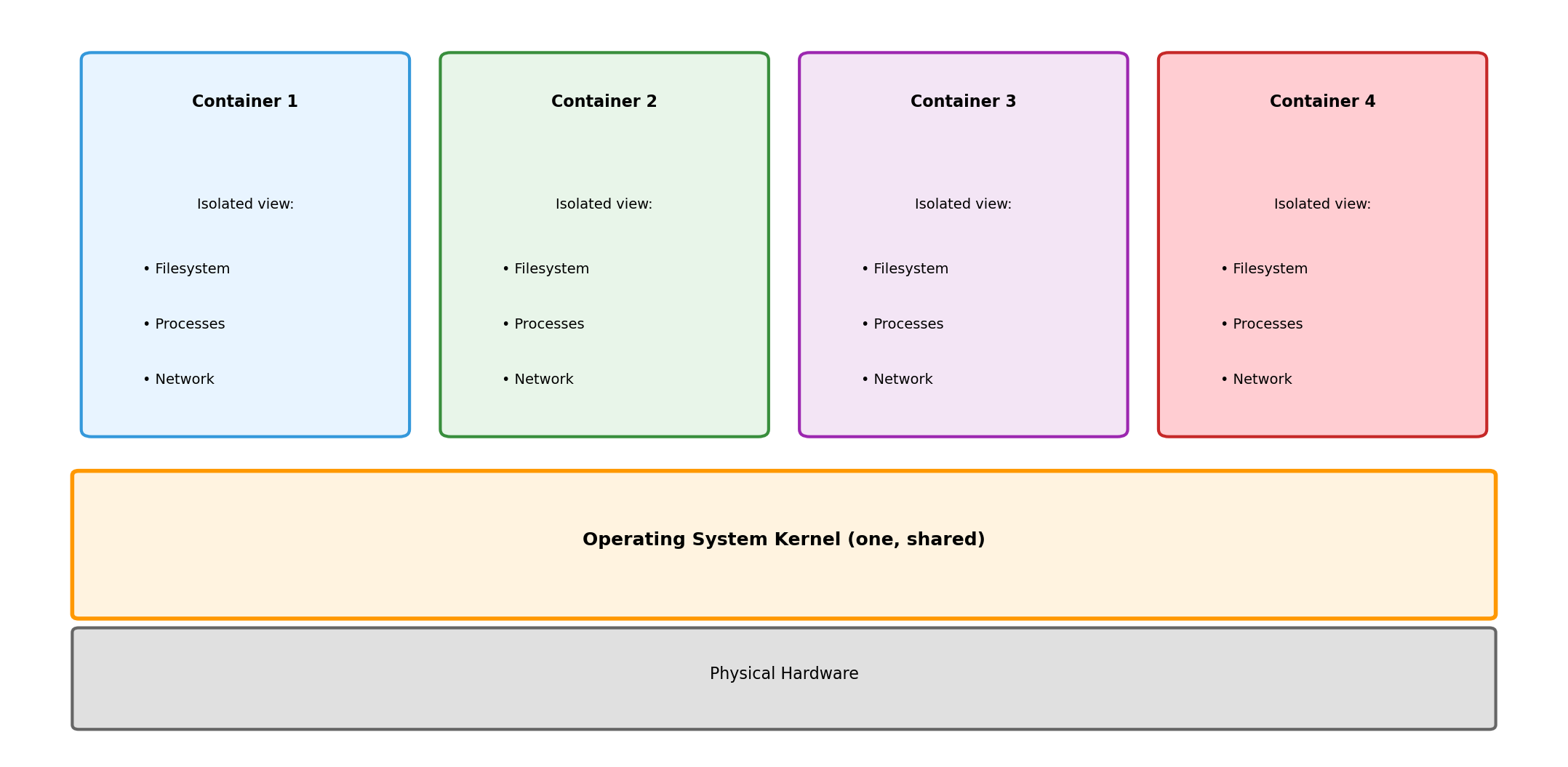
Instead of virtualizing hardware, containers virtualize the OS environment.
All containers share the same kernel. Each container sees an isolated view of the filesystem, process list, network.
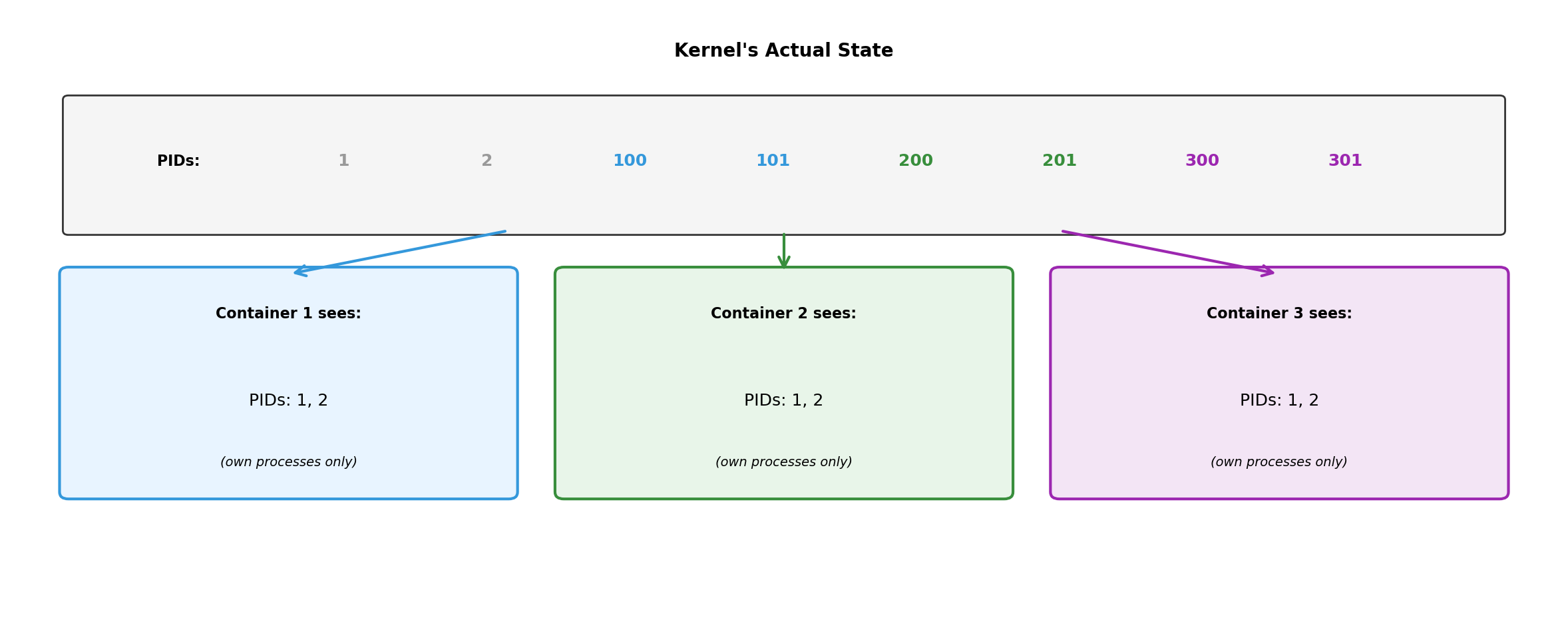
Same Kernel, Different Views
Kernel tracks all processes. Each container’s view is filtered—it sees only its own processes, starting from PID 1.
VMs vs Containers: Different Layers of Virtualization
VM isolation at hardware boundary (hypervisor). Container isolation at OS boundary (kernel features).
Containers for This Course
Containers are the practical deployment unit:
Lightweight: Start in milliseconds, minimal overhead
Portable: Same container runs on laptop and cloud
Composable: Multiple containers form distributed system
Each component of a distributed application runs in its own container. Containers communicate over the network—same model as Section 1.
Later lectures cover container mechanics in depth. For now: containers provide isolation boundaries for application components.
From Isolation to Distributed Systems
Communication
Isolated Components Must Exchange Information
Message Passing Replaces Shared Memory
Coordination requires explicit communication. Every piece of shared information must be copied across the network.
All Coordination Through Messages
In a distributed system, components coordinate exclusively through messages:
No shared variables - cannot read another component’s memory
No shared locks - mutex doesn’t work across machines
No function calls - cannot invoke code in another process
Every coordination mechanism reduces to: send a message, receive a response.
This is fundamentally different from single-process coordination where threads can share memory, signals, and synchronization primitives.
Network Behavior Is Uncertain
Slow and Failed Look Identical
Timeouts are guesses. A timeout expiring means “no response yet” - not “server is dead.”
Protocols Define Message Structure
A protocol establishes rules both parties agree to follow:
What protocols specify:
Message format and encoding
Valid operations and their meanings
Expected response types
Error signaling conventions
Why protocols matter:
Sender and receiver must parse messages the same way
Operations must have consistent semantics
Errors must be recognizable as errors
Without agreement, communication fails
Protocols are contracts. HTTP, TCP, DNS, SMTP - each defines a specific contract for a specific purpose.
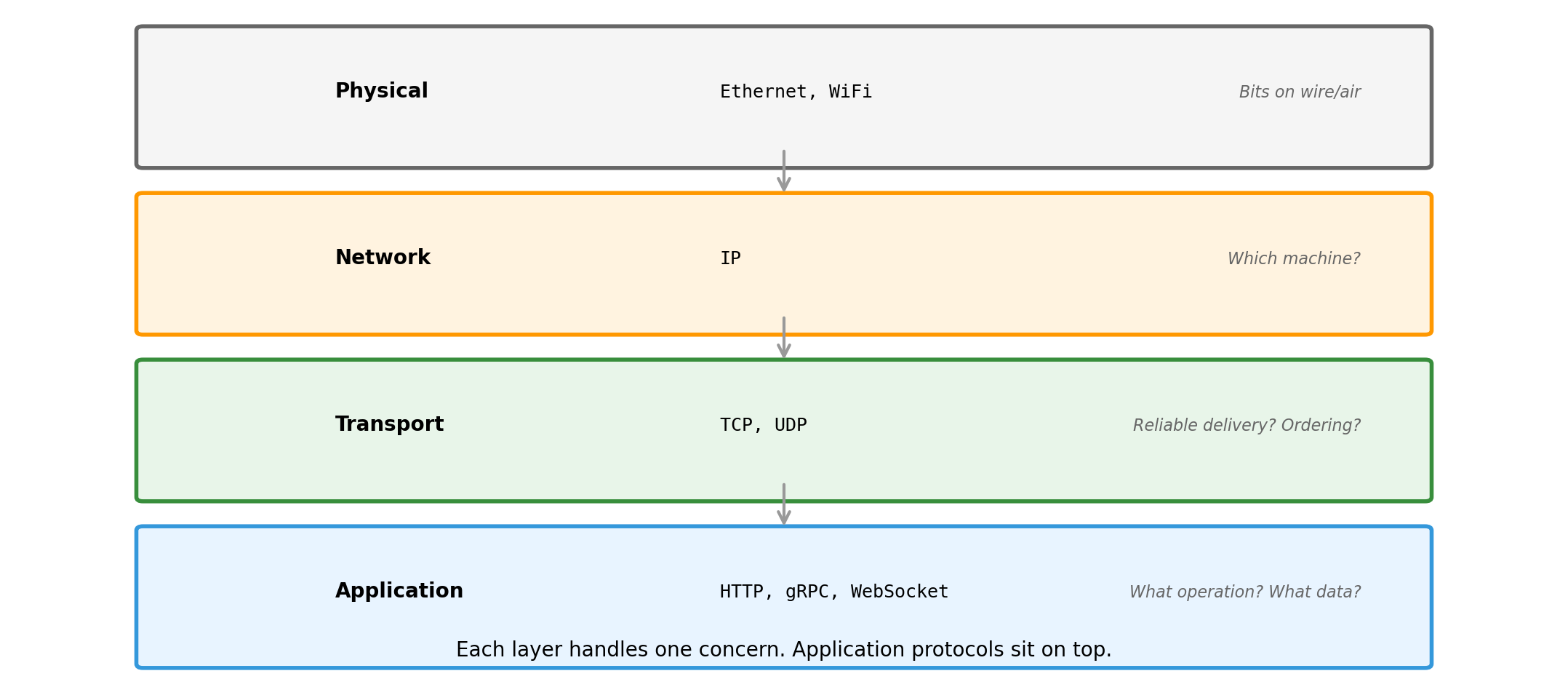
Protocols at Different Layers
We work primarily at the application layer. TCP handles reliable delivery underneath.
HTTP: Common Application Protocol
HTTP (Hypertext Transfer Protocol) is widely used for service communication:
Request-response model - client sends request, server sends response
Stateless - each request is independent; server keeps no memory of client between requests
Text-based - human-readable format (helpful for debugging)
Extensible - headers allow adding metadata without changing core protocol
Originally designed for web browsers. Now the default for APIs, cloud services, and service-to-service communication.
Details of HTTP syntax and semantics come in later lectures when we build APIs.
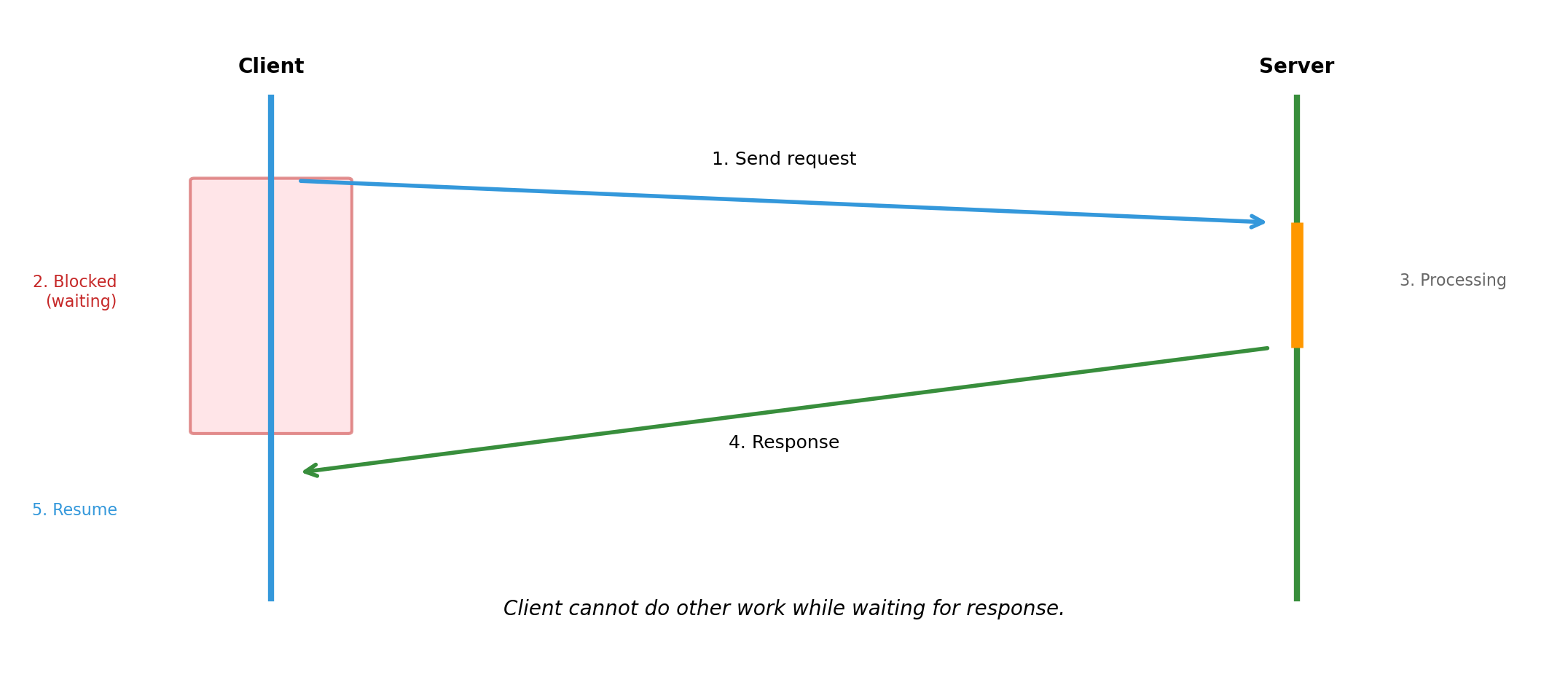
Synchronous Communication Blocks the Caller
Simple model: send, wait, receive. But waiting time is wasted if client could do other work.
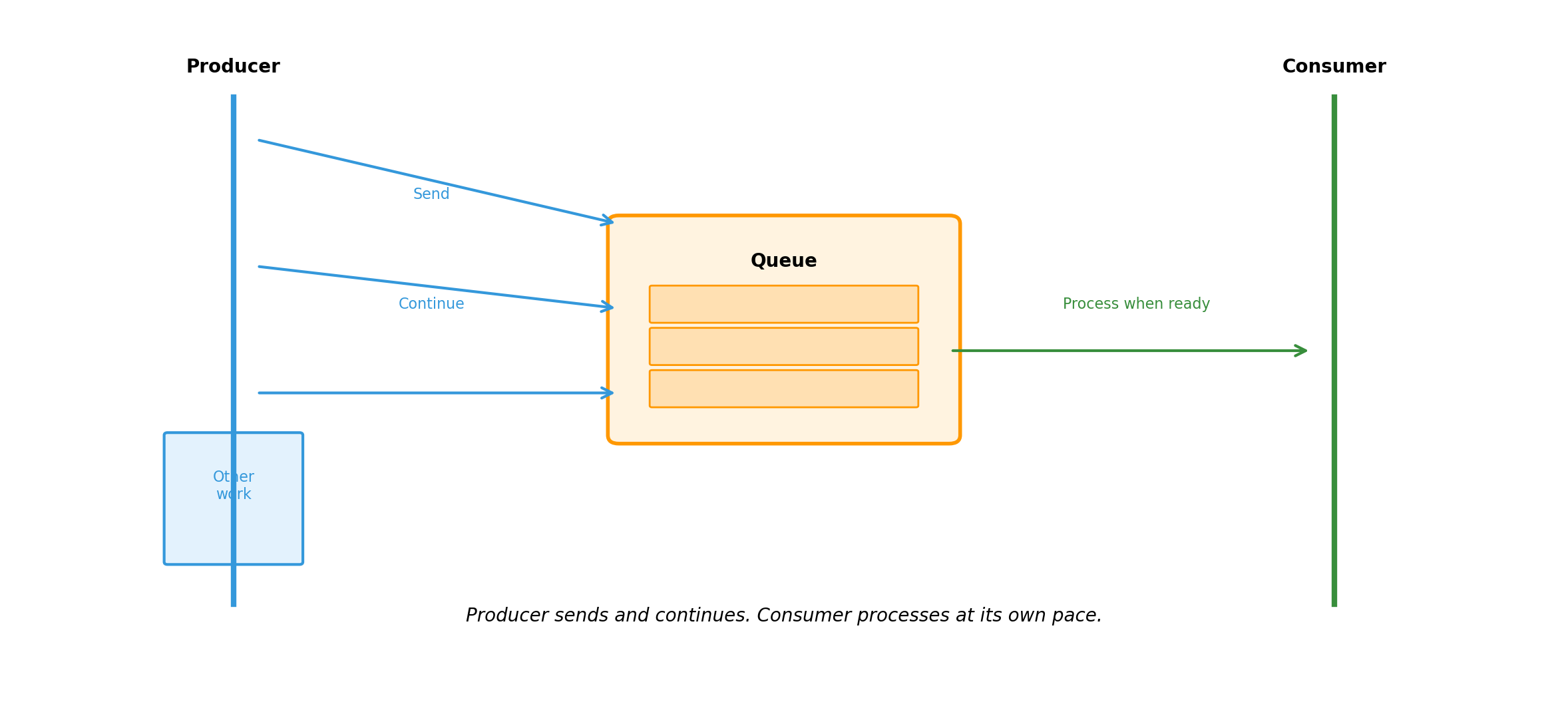
Asynchronous Communication Decouples Sender and Receiver
Synchronous vs. Asynchronous: Trade-offs
Synchronous
Immediate feedback
Simple error handling (error returns with response)
Easy to reason about
Caller blocked until completion
Tight coupling in time
Asynchronous
No blocking; better resource utilization
Producer and consumer scale independently
Handles burst traffic via buffering
Complex error handling (how do errors get back?)
Messages may sit in queue indefinitely
Neither is universally better. Choice depends on:
How quickly does caller need the result?
Can the operation tolerate delay?
What happens if the receiver is temporarily unavailable?
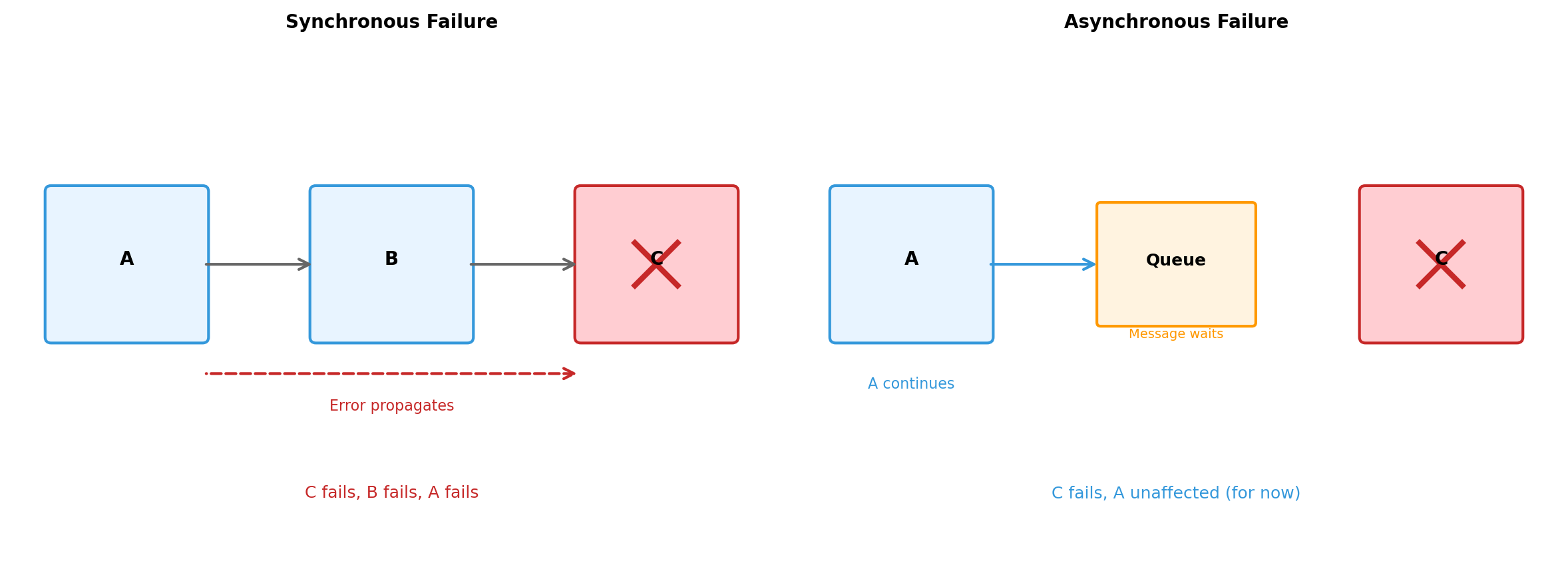
Failure Modes Differ by Communication Style
Asynchronous communication isolates failures temporally. But errors still need handling eventually.
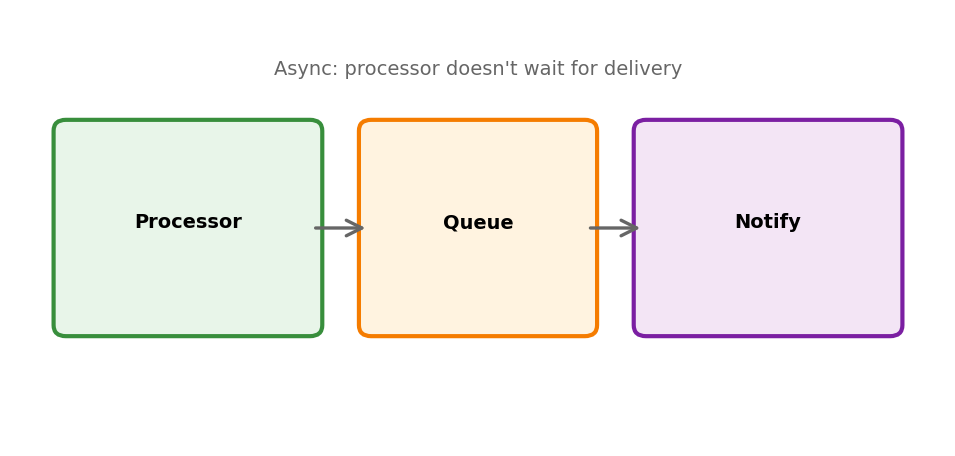
If processor is slow, queue grows (doesn’t block ingestion)
Can add more processors to increase throughput
This is async communication from Section 5:
Producer continues without waiting
Consumer processes independently
Temporal decoupling between components
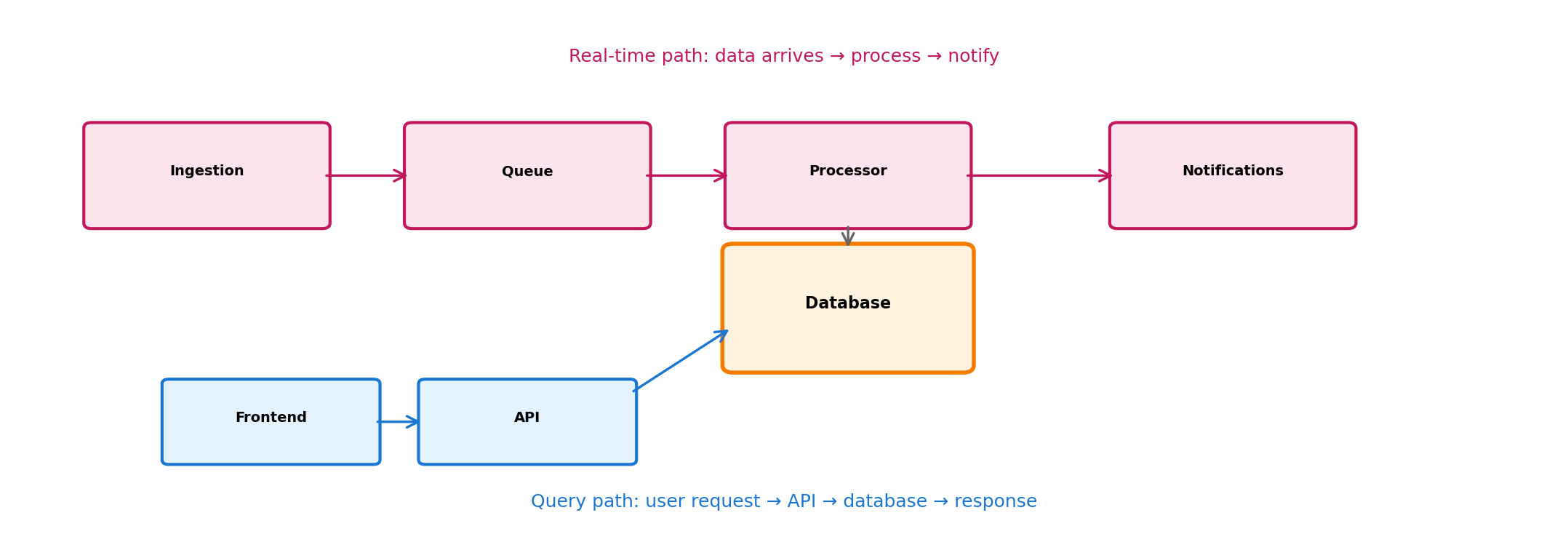
Two Data Paths: Real-Time and Query
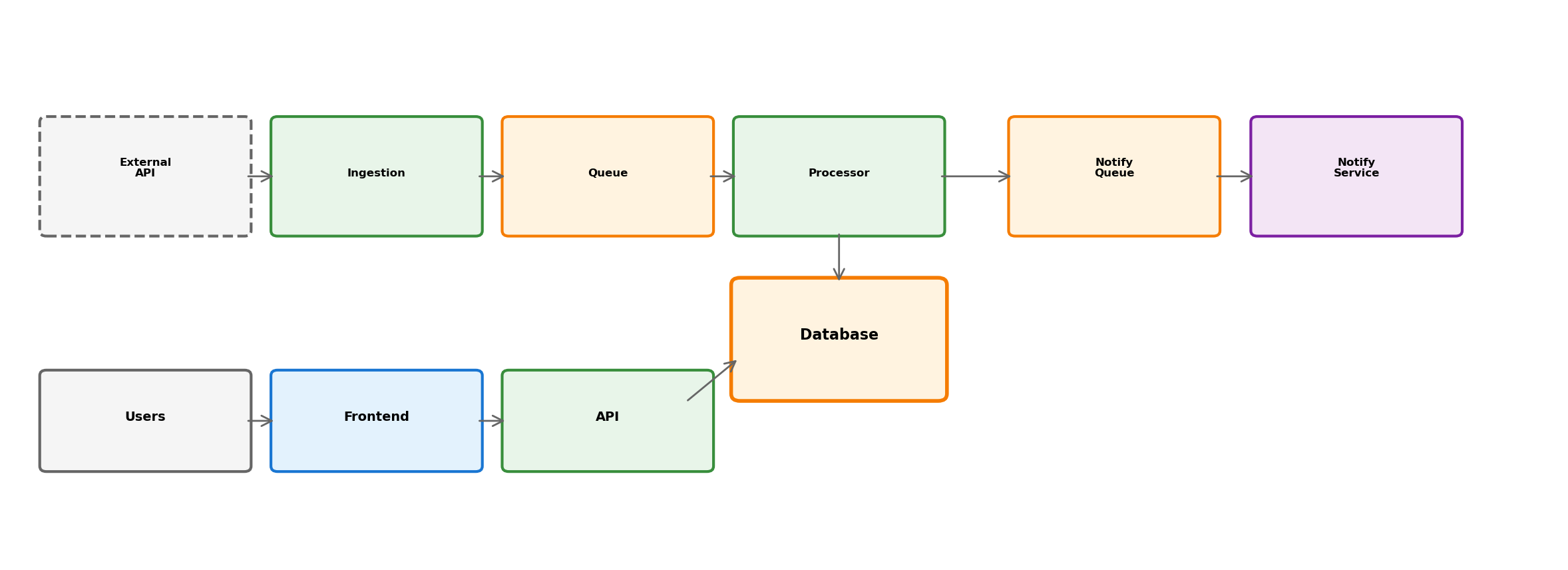
Real-time: events flow through queue, processor detects delays, sends notifications.
Query: user requests current positions, API queries database, returns response.
Different patterns for different access types. Database is the meeting point.
Notifications Are Asynchronous
When processor detects a delay, it doesn’t send email directly. Instead:
Processor publishes “delay detected” event
Notification service consumes these events
Handles delivery (email, SMS, push)
Manages user preferences, rate limiting
Why separate?
Delivery is slow (network calls to external providers)
Don’t want delay in processing pipeline
Notification logic is complex (preferences, templates, retries)
Can fail independently without affecting detection
Transit App: Full Picture
External data enters through controlled boundary. Real-time and query paths serve different needs. Async processing prevents blocking. Components are independently deployable.
Patterns That Appear in Both
Pattern
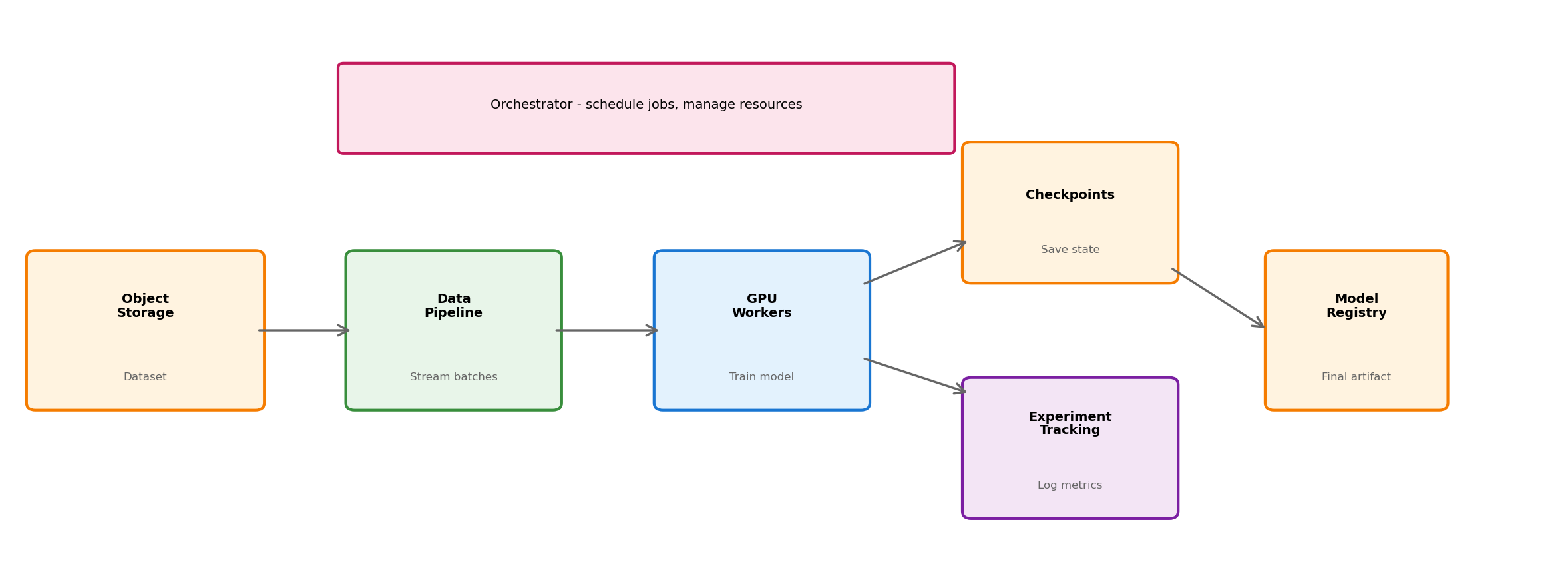
ML Training
Transit App
External boundary
Object storage holds dataset
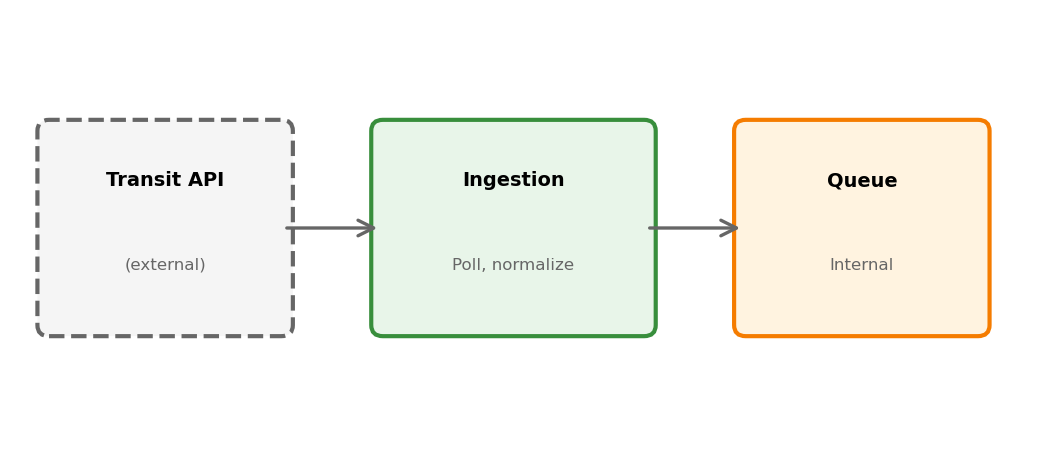
Ingestion service wraps external API
Async processing
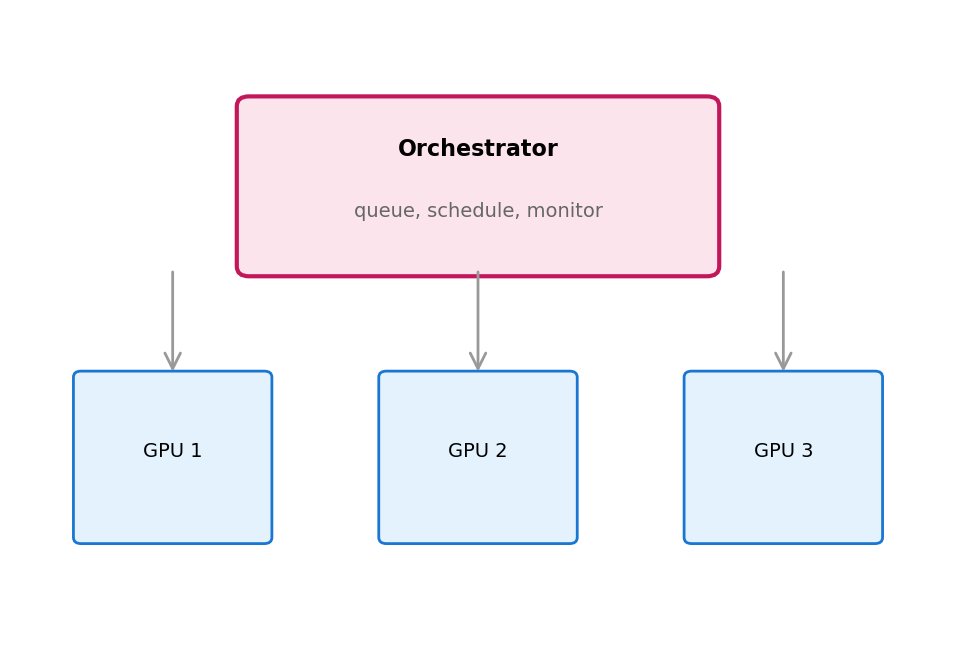
Data pipeline feeds GPU workers
Queue between ingestion and processor
Durable state
Checkpoints, experiment logs
Database for positions and history
Separation of concerns
Training vs tracking vs scheduling
Ingestion vs processing vs notification
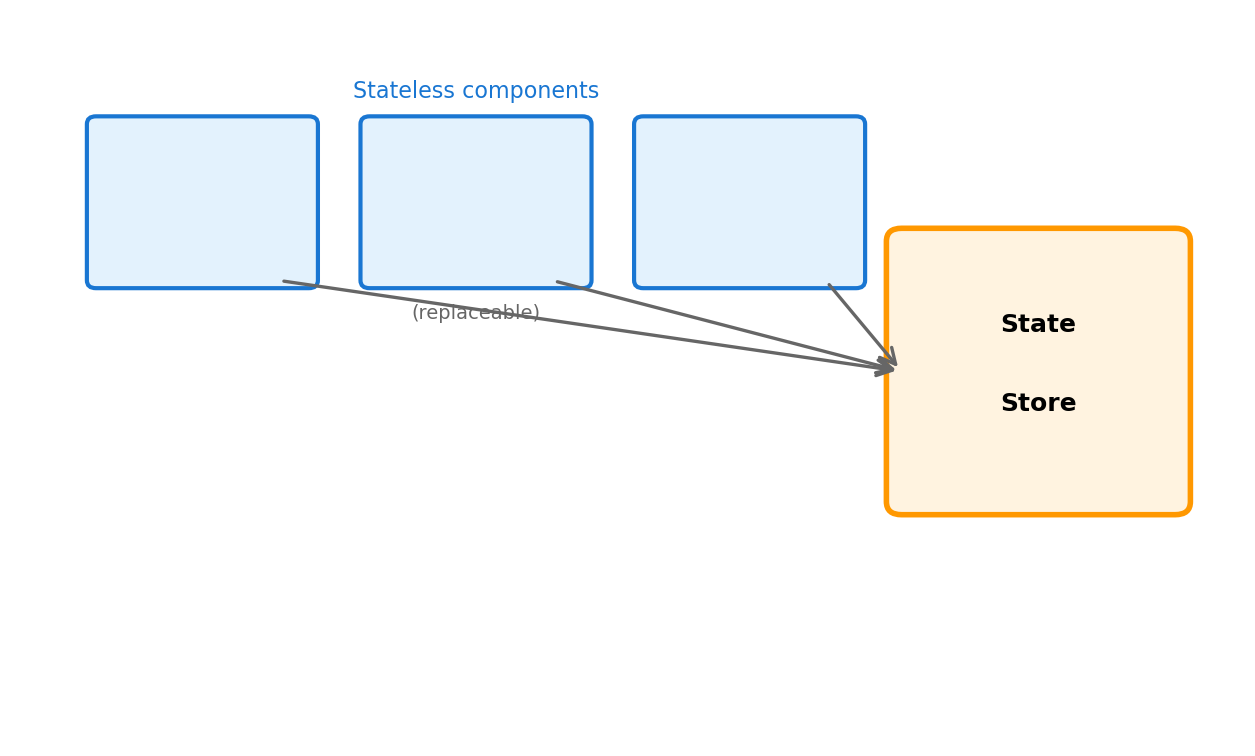
Stateless compute
Workers can restart, reschedule
Services can scale, restart
Different domains, same structural principles. The concepts from earlier sections appear as concrete components.